What works, and what doesn't
Most of what works is free. It comes down to three habits: put the best seconds of your song in front of new people, make it easy for them to save and follow, and spend money only where you can see what it brings.
What it gets you · Cost
| What to do | What it gets you | Cost |
|---|---|---|
| A short video for each part of the song | Strangers hear your best seconds | Free |
| Post often on Reels and TikTok | More chances to reach new people | Free |
| Pitch Spotify's editors | The song in followers' Release Radar | Free |
| A pre-save link | The song in fans' libraries on day one | Free with some distributors |
| Ask for the save and the follow | Your next release in their Release Radar | Free |
| Test each part with small ads | The part that brings listeners | $5–15 a day, for a week |
And what to skip:
Buying streams or monthly listeners
Spotify can withhold the royalties
"Guaranteed" playlist spots
Against Spotify's terms
Buying followers or likes
Meta and TikTok rules forbid it
Reposting videos with another app's logo
Instagram shows watermarked reels less

What not to pay for
Spotify's rules are plain. It says "paid 3rd-party services that guarantee streams aren't legitimate", and that services selling guaranteed playlist placement break its terms. When Spotify finds artificial streams, it can:
- withhold the royalties for those streams,
- correct your public numbers, streams and monthly listeners,
- remove the song from Spotify's playlists,
- charge your distributor a fee per track in flagrant cases. Distributors can then take your music down or suspend your account.
Bought followers and likes break the other apps' rules too. Meta's spam rules forbid "selling, buying, or exchanging" engagement such as likes, views and follows. TikTok says that when it finds inauthentic numbers, it removes the fake likes, followers and other inflated signals.
The bigger problem is that bought listeners never save, follow or come back. They don't tell you which part of your song works, and they won't get your next release in their Release Radar.
Paying a curator for their time to listen is different, and allowed. Our comparison of promotion services shows what you actually get. The same money spent on a week of small ads reaches real people, and shows you which part of your song makes them tap.
Before release: pitch, pre-save, get ready
Start at least 7 days before release day. All of this is free.
- Deliver the song early. Spotify asks for music at least 7 days before release, so its editors have time to listen. In your distributor's list of stores, choose Instagram and TikTok too (more below). Our guide to putting your music on Spotify covers distributors.
- Pitch one song in Spotify for Artists. Spotify says pitching "doesn't guarantee playlist placement". But a song pitched at least 7 days ahead goes into your followers' Release Radar. More in how to get on Spotify playlists.
- Make a pre-save link. Fans tap it before release, and the song lands in their library on release day. Spotify's own Countdown Pages are only for albums and EPs, from artists with at least 3,000 monthly active listeners. For a single, use your distributor's page (DistroKid's HyperFollow, for one) or a smart link service such as Feature.fm. Spotify says nearly 60% of people who pre-save an album stream it in its first week. Our smart links comparison shows which ones count clicks for your ads.
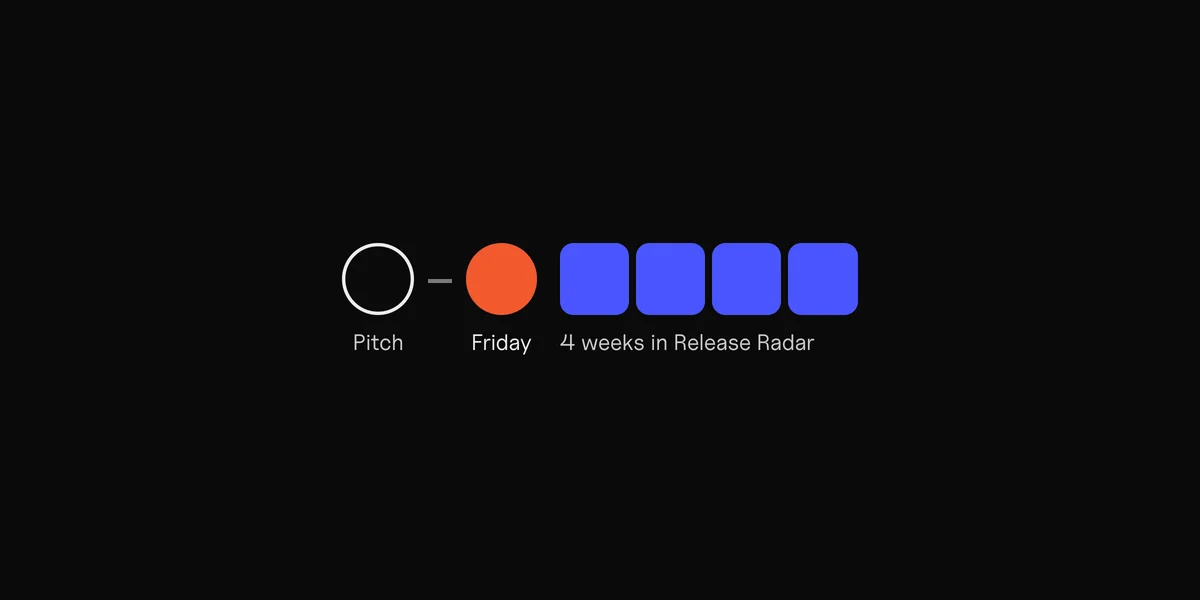
- Release on a Friday if you can. Release Radar updates every Friday. Each follower gets one song per artist a week there, for up to 4 weeks if they haven't heard it. The Spotify algorithm guide explains the rest.
- Add a Canvas, the short looping video on your song in Spotify. The Canvas guide has the sizes.
- Have a week of short videos ready before release day. The song release plan puts all of this on one timeline.

Make a short video for every part of your song
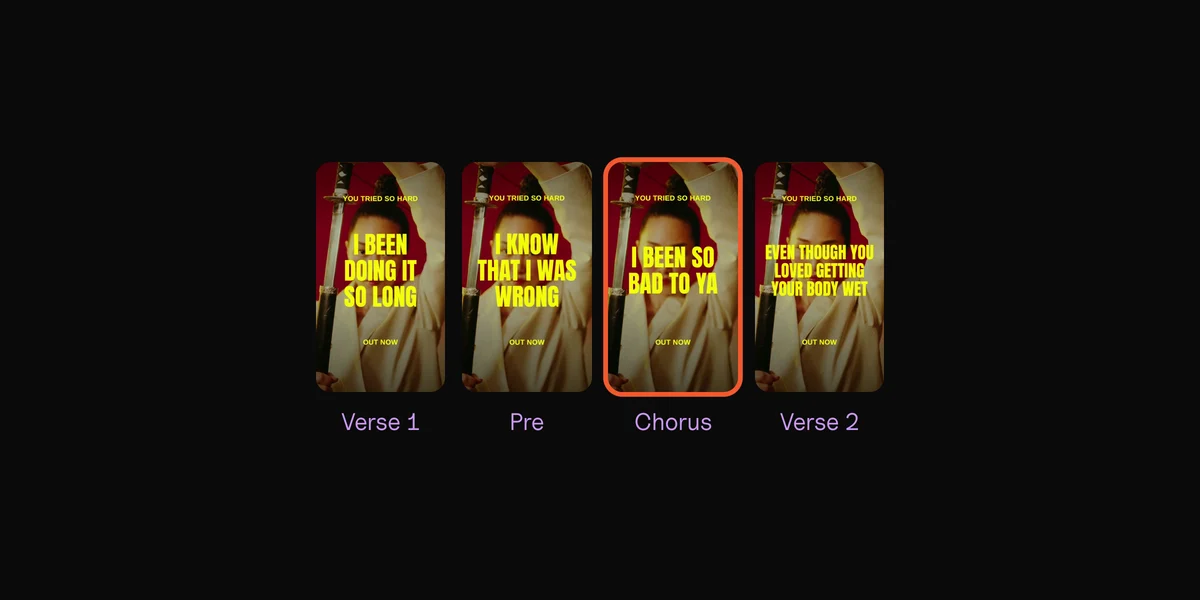
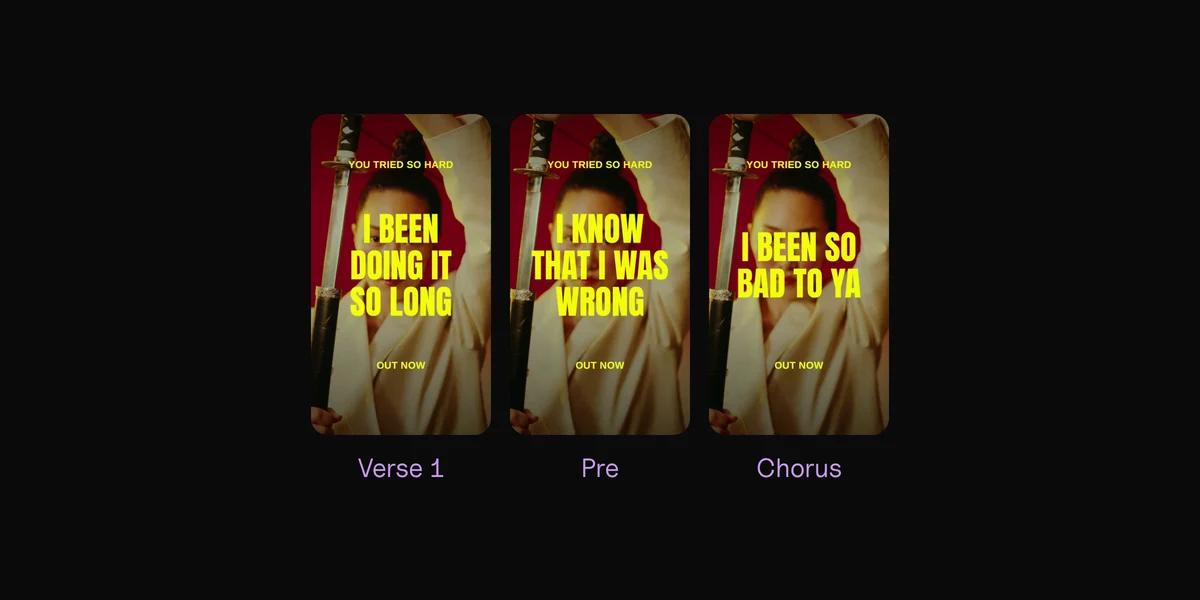
The core of the plan is a short vertical video of your song. Not one video: one for each part. You can't know in advance which part makes a stranger stop scrolling, and often it isn't the chorus. Our guide to music ads shows tests where an intro or a last verse won.
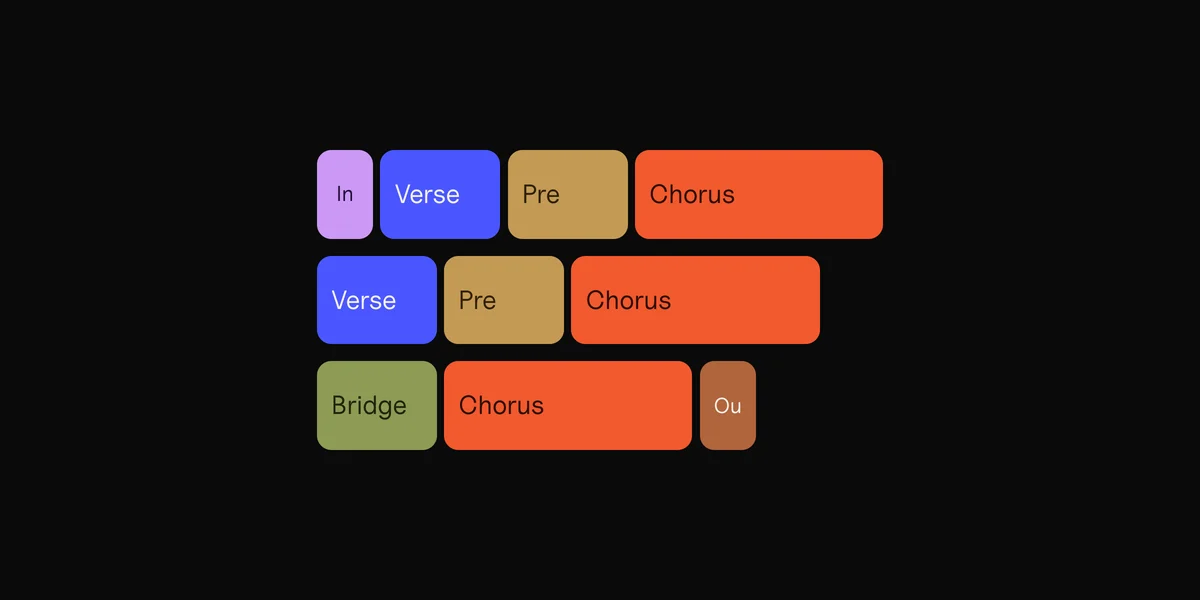
Pick at least three parts: a verse, the pre-chorus, the chorus, the bridge, the intro. The song structure guide shows how to find them. Then:
- Make it vertical: 9:16, 1080 × 1920. TikTok recommends 9:16, and Reels and Shorts use the same shape.
- Start where the part hits, not on its first bar. TikTok's ad guide says to put your hook in the first 6 seconds, and your point in the first 3.
- Put the lyrics on screen, big, one or two lines at a time. They tell people what they're hearing, even with the sound off. Our lyric video guide shows how.
- Keep the words inside the safe zone, away from the apps' buttons and captions (see the TikTok section).
- Post clean files to each app. Instagram says it shows reels with a noticeable watermark less, and reposts of reels already on Instagram too. Upload your own file, not a video saved from TikTok.

Five parts on three backdrops make 15 videos: two weeks of posts from one song.
How to promote music on Instagram
Instagram gives your song four places, and each has its own job.
- Reels reach people who don't follow you yet. Instagram can recommend reels of up to 3 minutes to people who don't follow you. It says "one of the most effective ways to grow is to post original content consistently".
- Trial reels test a part for free. Turn on Trial before you share, and the reel goes to people who don't follow you first. About 24 hours later you see its views, likes, comments and shares. Then share it with your followers, or let Instagram do it if the reel does well in its first 72 hours. You need a professional account.
- Stories reach the people who already follow you. Add a link sticker with your pre-save or smart link. Once your song is in Instagram's music library, the music sticker plays it.
- Your profile holds the link in your bio: one smart link that opens the song in any app. For bookers, journalists and curators, an EPK does the same job: one link with everything they need.
To get your song into Instagram's music library, your distributor sends it there. DistroKid, for one, lists Instagram and Facebook as a store on its upload form. Then anyone can add your song to their Stories and Reels.
Paying on Instagram: the Boost button is quick, but Meta's help says a boosted reel must be 90 seconds or less and "can't use licensed music". Once your song is in Instagram's library, Instagram may label a reel's sound as your released song, and then it counts as licensed. For music ads, set up the campaign in Ads Manager with your video files, as in our ads guide.

How to promote music on TikTok
On TikTok, the same short videos do the work, and your song can travel on its own when other people use it.
- Get your song into TikTok's library. Your distributor delivers it, or SoundOn, TikTok's own distributor. Then anyone can use it as the sound of their video.
- Set up your Artist Account. It adds a Music tab with your songs, an artist tag once you have four songs out, and a New Release tag on a new song from 14 days before release to 30 days after.
- Post each part as its own TikTok, with your song from TikTok's library as the sound. The song's name then shows on the video, with TikTok's Add Song button next to it. That button saves the song to the viewer's Spotify, Apple Music or other app without leaving TikTok. TikTok says people used it to save more than 6 billion tracks in the 12 months to April 2026.
- Boost what already works with a Spark Ad. It runs one of your own posts as an ad, and the views, likes, comments and follows it gets count on the original post. TikTok's minimum is $20 a day per ad group, or $50 if you set the budget for the whole campaign.
- Or tap Promote in a video's "…" menu for a quick boost from the app, aimed at views, followers or website visits.
Mind the safe zone on both apps. On Reels, Meta suggests keeping 14% at the top, 35% at the bottom and 6% on each side free of text. TikTok publishes template files, not numbers. Measured from them, its buttons cover about 13% on the right, and the caption and sound line about 25% at the bottom. To fit both, keep lyrics a little above the middle and left of TikTok's buttons. Drop a frame into the free safe zone checker, or see the TikTok and Reels safe zones.

Test the parts with a small ad budget
Posts tell you which videos people watch. Ads tell you which part brings listeners to Spotify, and they reach new people from day one. Here's the short version of our guide to music ads:
- One ad per part, with the same backdrop and look on each, so the only difference is the music.
- One ad set on Instagram, with broad targeting, at $5 to $15 a day.
- Send people to a smart link with a pixel, so Meta counts each click through to Spotify.
- After about a week, keep the part with the cheapest Spotify clicks and turn the rest off.
- Check saves and followers in Spotify for Artists. They tell you whether the clicks became fans.
On TikTok, boost the post people already watch to the end as a Spark Ad. Spotify's own Marquee and Showcase start at $100: see Spotify ads for artists.
Andrew Southworth, who runs Meta ads for artists, walks through a campaign you can run for $5 a day:
A simple weekly plan
Promotion works best as a routine you can keep. Here's one week for a song that's out, or out soon:
Post on Reels and TikTok · Also
| Day | Post on Reels and TikTok | Also |
|---|---|---|
| Mon | Verse 1 | Start the ad test: one ad per part |
| Tue | Pre-chorus | A Story with the song's link |
| Wed | Chorus, as a trial reel | Reply to comments |
| Thu | Bridge | A Story about the song |
| Fri | Intro or outro | A Story asking for the save and follow |
| Sat | The most-watched part, new backdrop | Reply to comments |
| Sun | Rest | Read the numbers, plan next week |
- Every day: one short video. The same file works on Reels, TikTok and Shorts if the words sit inside every app's safe zone.
- Friday: Release Radar updates. Ask for the follow: every follower gets your next release there.
- Every week: move the ad money to the part that wins, and make next week's videos on new backdrops.

Make a week of videos in one go
The plan needs about seven videos a week. In a video editor, that's an evening of cutting the same song again and again, on the beat, with every lyric timed by hand.
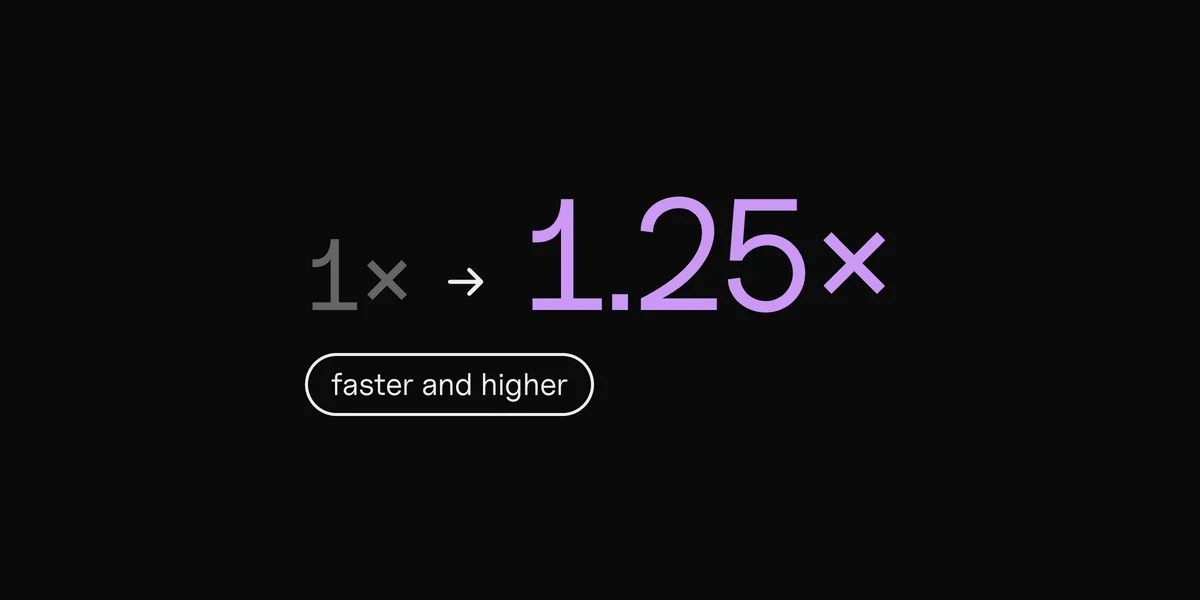
Clips makes the videos for you. Drop in the song and your footage or photos, and it finds the tempo and every part: intro, verse, pre-chorus, chorus, bridge. Each part becomes a vertical lyric video, cut on the beat, with your lyrics synced word by word. All text stays inside the safe zone you pick, the look is the same on every part, and the files come out named by song and part, ready to post or to upload as separate ads. It works offline, so an unreleased song never leaves your Mac.
What Clips doesn't do: it doesn't post for you, run your ads or make 16:9 videos for YouTube. It makes the vertical videos (and square posts) for Reels, TikTok, Shorts and ads.
One song in. An ad for every part.
By hand in an editor
Making 15 videos takes all evening.
Clips
Every part on every backdrop, in one export.
Questions
How can I promote my music for free?
Post a short video of each part of your song on Reels and TikTok, often. Pitch every release to Spotify's editors at least 7 days ahead, so your followers get it in Release Radar. Share a pre-save or smart link in your Stories and bio, and ask for the save and the follow. Instagram's trial reels let you test a part on new people for free.
What's the best way to promote a new song?
Start before release: pitch it in Spotify for Artists, share a pre-save link, and have a week of short videos ready. From release day, post a video a day, and run a small ad test to find the part that brings listeners. Then put your budget behind that part.
Should I pay for music promotion?
Pay for what you can measure: ads, where you see what each Spotify click costs, or a curator's time to listen. Never pay for guaranteed streams, followers or playlist spots. Spotify says those services aren't legitimate, and it can withhold the royalties for fake streams.
How do I get my song on Instagram and TikTok?
Through your distributor: choose Instagram and TikTok in its list of stores when you upload. On TikTok you can also use SoundOn, TikTok's own distributor. Once the song is in, anyone can add it to a Story, a Reel or a TikTok.
Can I boost an Instagram reel that uses my song?
Not always. Meta's help says a boosted reel must be 90 seconds or less, vertical, and can't use licensed music, and once your song is in Instagram's library, a reel with it may count as licensed. For music ads, set up a campaign in Ads Manager with your video files instead.
How often should musicians post on Instagram and TikTok?
Neither app gives a number. Instagram says posting original content consistently is one of the most effective ways to grow. A short video a day is a pace you can keep if each video takes minutes, not an evening.
Sources
- Pitching music to playlist editors, Getting music on Release Radar, Getting started with Countdown Pages and Artificial streaming and paid 3rd-party services that guarantee streams, Spotify for Artists
- Trial reels, Finding success on reels in 2025 and Tips for improving your reach, Instagram for Creators
- Instagram ranking explained and Share links in Stories, Instagram
- Boost an Instagram reel and What audio you can use in your reel, Instagram Help Center
- Instagram Reels ad specs and Spam, Community Standards, Meta
- Introducing the Artist Account, Add to Music App launches, 6 billion track saves and SoundOn, TikTok Newsroom
- Spark Ads, Budget, Creative best practices and Introducing TikTok Promote, TikTok Ads
- Integrity and authenticity, TikTok Community Guidelines
- What is HyperFollow? and Getting your music into Instagram and Facebook, DistroKid
- Creating a pre-save smart link, Feature.fm
- The $5/day music marketing budget, Andrew Southworth
 Clips9 min read