The release plan at a glance
Count back from release day. Each step depends on the one before it, so the order matters more than the exact week.
6 weeks before
Finish the master, art and credits
4 weeks before
Upload; set a Friday release date
4 to 2 weeks before
Pitch, pre-save, Canvas
3 to 1 weeks before
Make a video for each part
7 days before
Last day to pitch Spotify
Release day
Check it's live; start the ad test
Weeks 1 to 4 after
Back the winning part; Marquee
From day 30
Discovery Mode, if you qualify

6 weeks before: finish what the release needs
- The master, as WAV or FLAC. Check its loudness before you upload: Spotify plays music at about -14 LUFS, so a louder master gets turned down. Our LUFS guide shows how to check yours.
- Cover art, square, 3000 × 3000 pixels.
- Credits and splits, written down: who wrote, produced and played what, and who gets which share.
- The lyrics, typed out as they're sung. You'll need them for lyric videos.
- Your EPK, updated with the new song, for the blogs, curators and bookers you'll write to. Our EPK guide shows what goes in.
- A release date on a Friday. Release Radar, where your followers find your new songs, updates every Friday.
4 weeks before: upload to your distributor
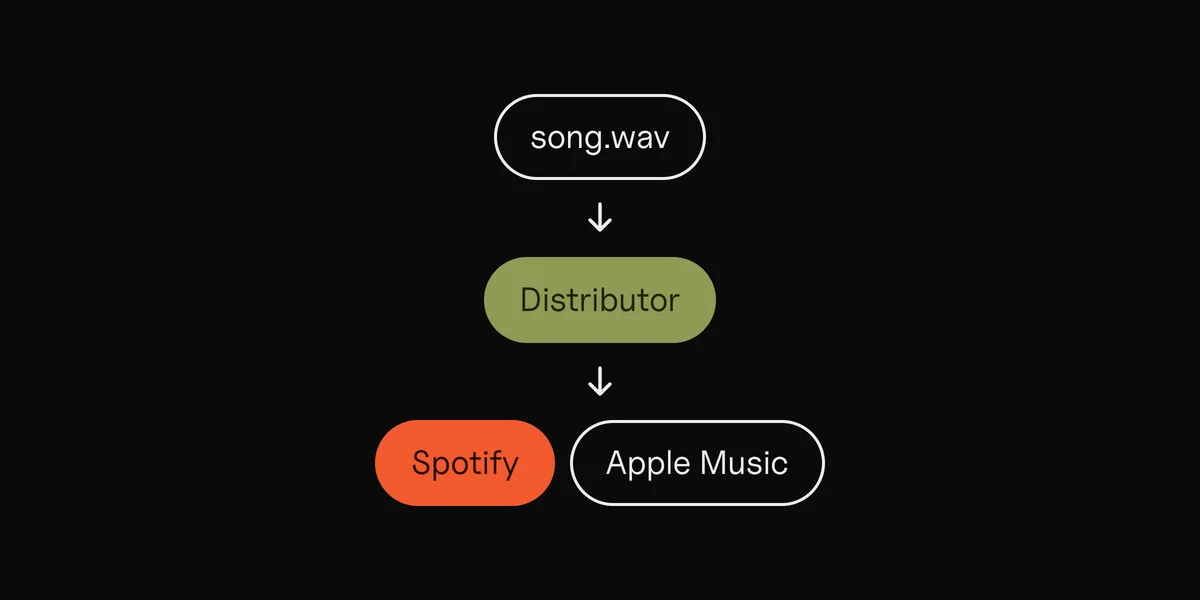
Upload the master, the art and the details, and set your release date.
- DistroKid says to pick a date at least four weeks ahead if the song must come out on the same day everywhere. A custom future release date needs its Musician Plus or Ultimate plan.
- TuneCore recommends uploading 3 to 4 weeks ahead. For playlist consideration, your release must be approved and processed in the stores at least two weeks before release day.
Uploading early also gives Spotify time. DistroKid says a release shows up under Upcoming in Spotify for Artists only once it's in Spotify's system at least a week before release day, and recommends uploading at least two weeks ahead if you want to pitch the song. Not sure which distributor to use? See music distributors compared, and how to put your music on Spotify for the whole upload.
4 to 2 weeks before: pitch, pre-save, Canvas
Pitch the song to Spotify's editors
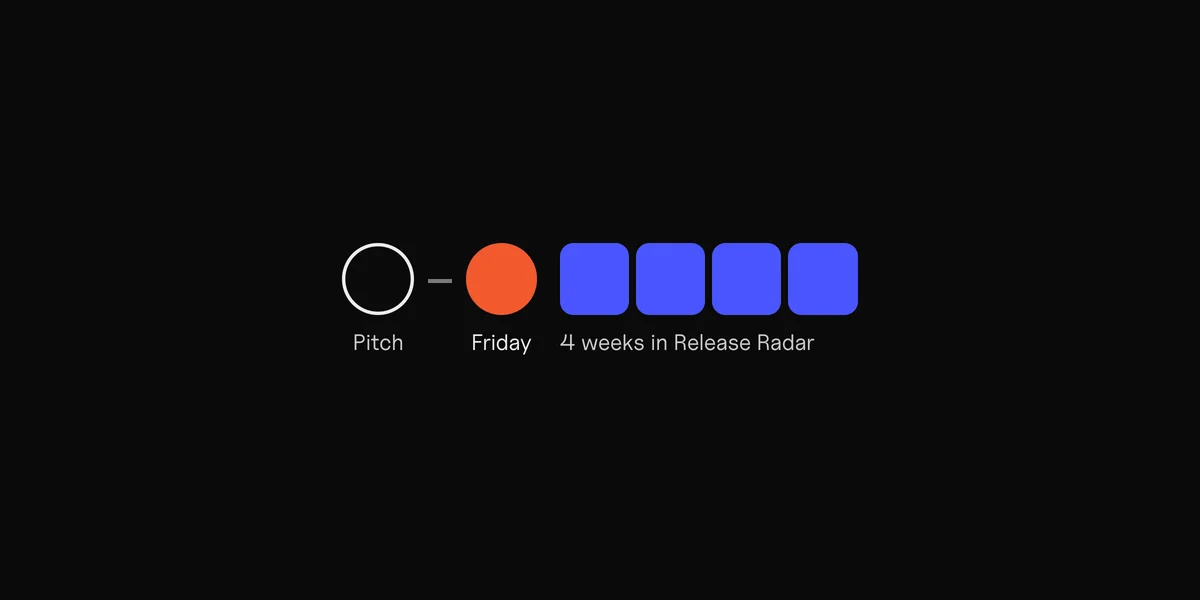
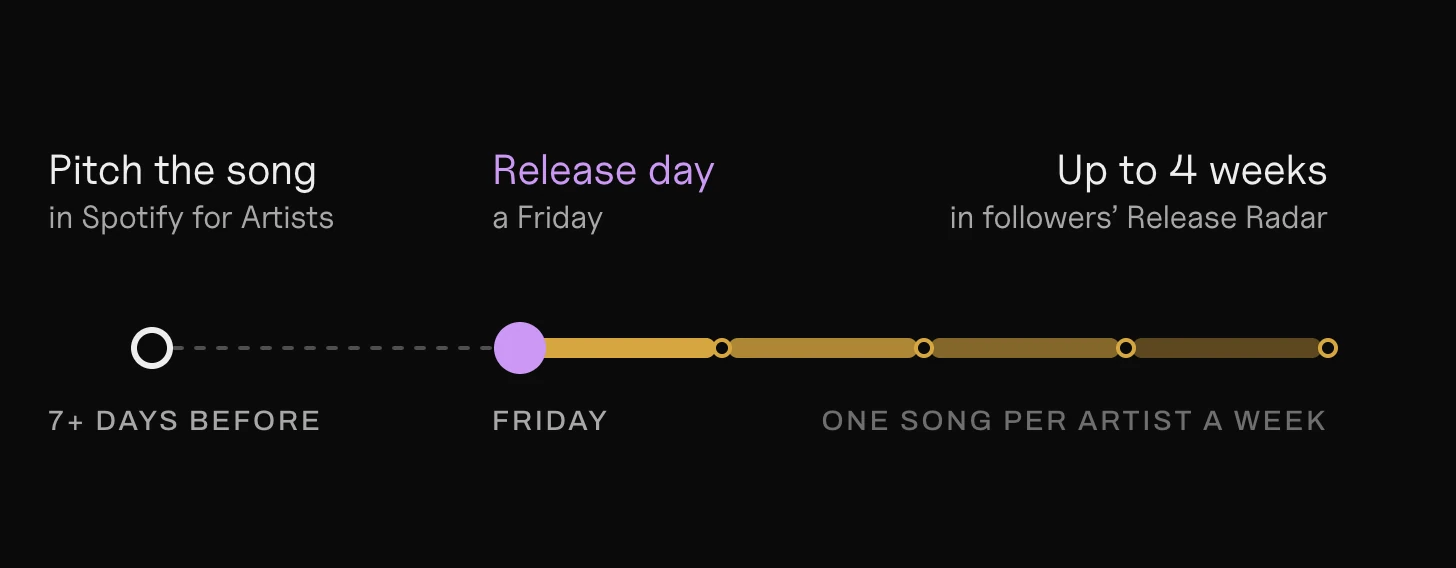
As soon as the release shows under Upcoming in Spotify for Artists, pitch it. Spotify's rule is at least 7 days before release. Pitch in time and Spotify adds that song to your followers' Release Radar.
You can pitch one song at a time, and only an unreleased one. After the pitched song is out, you can pitch the next.
Open a pre-save
A pre-save lets fans add your song before it's out. On release day it lands in their library. There are two ways to get one:
- A Spotify Countdown Page. Fans can pre-save, see the tracklist and watch your countdown videos, and they get a notification on release day. But it's only for albums and EPs, not singles, and you need at least 3,000 monthly active listeners.
- A smart link pre-save page, for any release. DistroKid makes a free HyperFollow page for every upload, which collects pre-saves on Spotify and fans' email addresses. Hypeddit and Feature.fm make pre-save pages too. Our smart links comparison has their prices and which ones work with ads.

Add a Canvas
A Canvas is the 3–8 second vertical loop that plays behind your song in Spotify's phone app. Spotify lets you add one to upcoming releases, so it's there from the first play. The Canvas guide has the sizes.
3 to 1 weeks before: make a short video for each part
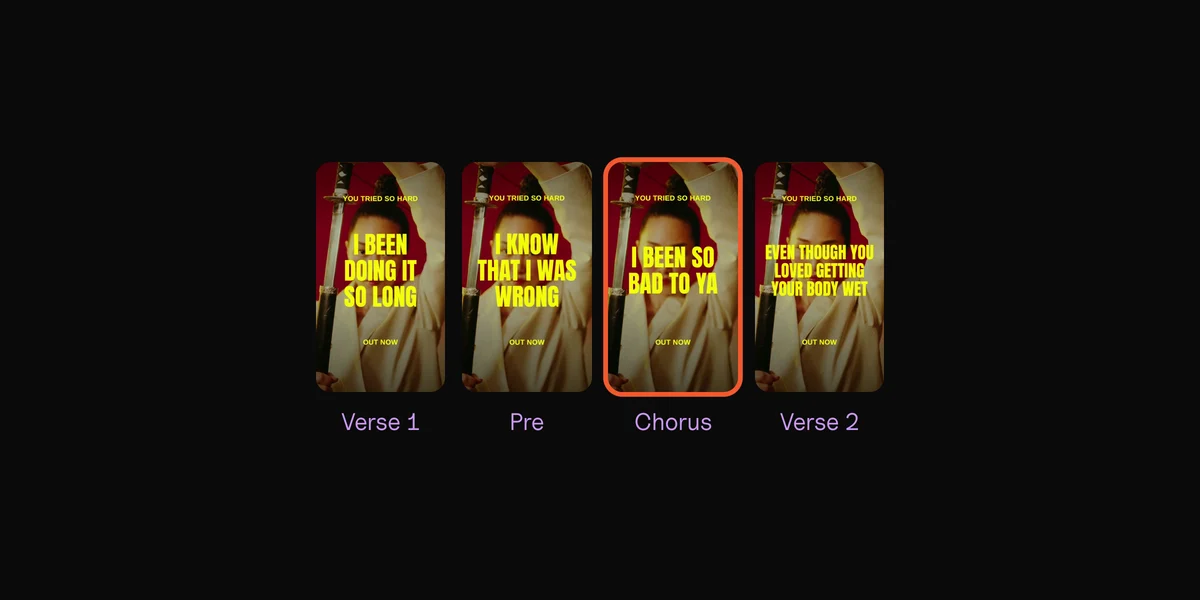
Your posts and ads need short vertical videos. Make one for each part of the song: the first verse, the pre-chorus, the chorus, the bridge. You don't know yet which part hooks strangers, and a week of ads can tell you.
- Vertical, 9:16, at 1080 × 1920.
- 6 to 15 seconds, starting where the part hits. Meta says shorter videos in that range work better.
- The lyrics on screen, for people scrolling with the sound off. Our lyric video guide shows how to time them.
- The same look on every part, so the only difference between the videos is the music.
Post a few before release day, with the pre-save link in your bio. Then get ready for release day: a smart link that counts clicks to Spotify, and a Meta ad account. Our guide to promoting a song with ads covers the setup. More ways to get the song heard, free and paid, are in how to promote your music.
Making five or more of these by hand takes an evening in a video editor. Clips, our Mac app, makes them from one song: it finds the parts, cuts a vertical lyric video for each on the beat, and syncs your lyrics word by word. The files come out named by part, ready to post or upload as ads.
One song in. An ad for every part.
By hand in an editor
Making 15 videos takes all evening.
Clips
Every part on every backdrop, in one export.
Release day
- Check the song is live on Spotify, Apple Music and the other stores. DistroKid emails you when it detects a release going live on many of them.
- Swap the pre-save link for a listen link in your bio and posts. A HyperFollow page switches to listen links by itself.
- Post the release, and tell the people who already like your music: your email list, your close fans, your collaborators.
- Start the ad test: one ad per part, about $5 to $15 a day, for about a week, sending people to your smart link.

The first 4 weeks after release
Week 1: let the test run. Give it at least 4 days, ideally 7, before you judge. Switching ads on and off every day ruins the test.
Week 2: back the winning part. Keep the part with the cheapest Spotify clicks, and turn the rest off. Make new videos of that part, with a different backdrop or first second, and raise the budget slowly. Check saves and followers in Spotify for Artists: they show whether the clicks became fans.
Weeks 1 to 4: Release Radar keeps working. Spotify keeps a new song in a follower's Release Radar for up to 4 weeks if they haven't heard it yet. Each listener gets one song per artist a week, so leave a few weeks between singles.
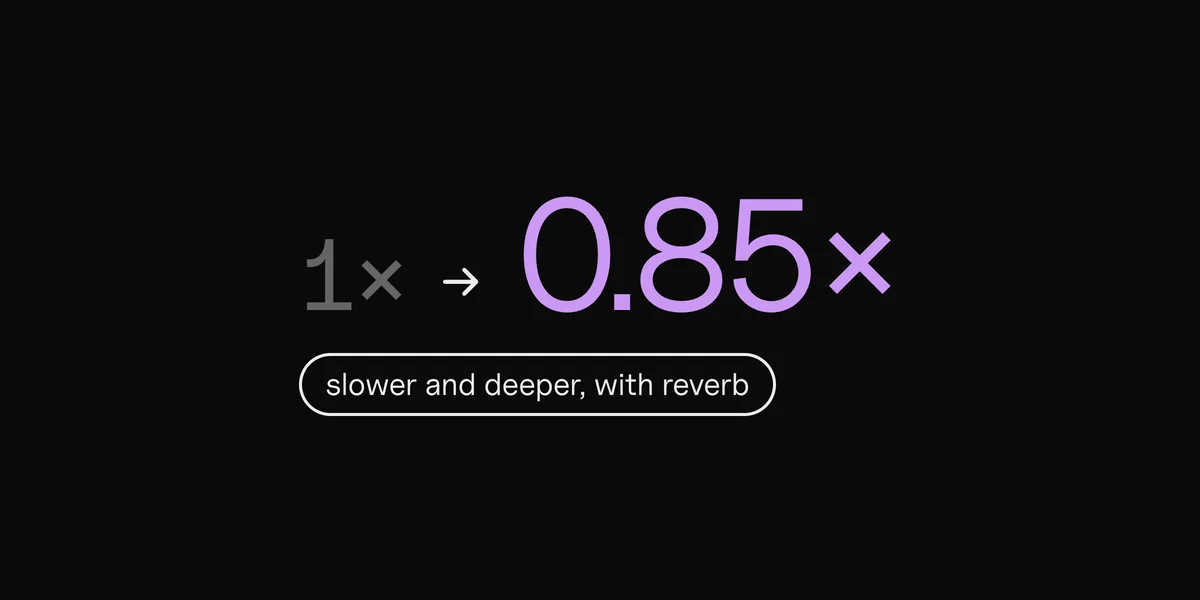
Weeks 2 to 4: a second version. A slowed + reverb or sped-up version gives the song a second release and a new sound for your posts. Make it from your master with the free slowed + reverb maker or the sped up song maker: only the speed and the effect change, and the volume stays the same. Release it through your distributor as its own single.
Spotify's own paid tools, if you qualify:
When you can use it · What you need
| Tool | When you can use it | What you need |
|---|---|---|
| Marquee | Starting within 21 days of release | 5,000 active listeners in a market |
| Showcase | Any time | 1,000 streams in a market |
| Discovery Mode | Songs out for 30 days or more | 25,000 monthly listeners |
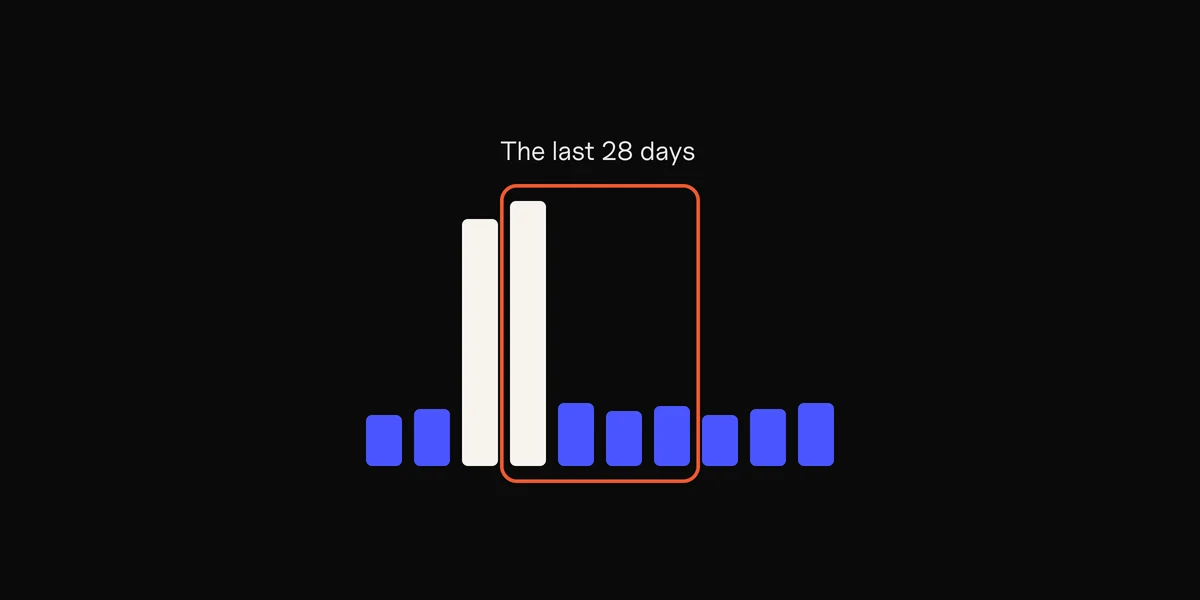
Marquee and Showcase both need 1,000 streams in the last 28 days in a market, and both charge per click, with budgets from $100. Our guide to Spotify ads for artists compares them with Instagram ads.
Then start the next one. With the song out, you can pitch your next unreleased song, and the plan starts again.
Spotify Discovery Mode: what it costs
Discovery Mode marks songs as a priority, so Spotify is more likely to recommend them in Radio, Autoplay and Mixes. It isn't a guarantee.
- The cost: no upfront budget, but Spotify keeps a 30% commission on the recording royalties from streams in those places.
- Who can use it: your team needs at least 25,000 monthly listeners and 3 eligible songs. Each song must be out for at least 30 days and have 20 streams in those places in the last 28 days. Your distributor must be on Spotify's list, and it's still in beta.
- When: you set up a campaign between the 11th and the last day of a month, and it runs from the 1st of the next month.
So Discovery Mode can't help on release day. For most artists starting out, it's a tool for later. The Spotify algorithm guide explains what the recommendations learn from.
EP vs album vs single: which to release when
Streaming services decide what your release is by its track count and length. DistroKid sums up the rules most of them use:
Tracks · Length
Single
1 to 3
Each under 10 minutes
EP
4 to 6
30 minutes or less in all
Album
7 or more
Any
An EP can also be 1 to 3 tracks if one runs 10 minutes or more, with 30 minutes or less in all.
The format changes what Spotify gives you:
- One pitch per release. Only unreleased songs can be pitched, one at a time, so a 10-song album gets one pitch. Ten singles get ten.
- One Release Radar spot a week. Each listener gets one song per artist a week, however many songs you release.
- Countdown Pages are for albums and EPs only.
Which to choose:
- Starting out or growing: singles, a few weeks apart. Each one gets its own pitch, its own Friday in Release Radar, its own Canvas and its own ad test.
- A few songs that belong together: an EP, after one or two of its songs come out as singles. Upload the singles first, then the EP as a separate release that includes them. DistroKid says that reusing the same audio, details and ISRC codes may keep the singles' play counts and playlists, but can't guarantee it.
- An album: when the songs only make sense together, or listeners are already waiting for it. Release a few of its songs as singles first, and open a Countdown Page if you have 3,000 monthly active listeners.

Questions
How far in advance should I upload my song?
At least 4 weeks before release day. DistroKid recommends four weeks if the song must come out on the same day everywhere, and TuneCore says 3 to 4 weeks. Spotify needs the song at least 7 days ahead for your pitch.
What day should I release music?
Friday. Release Radar, where your followers get your new songs, updates every Friday.
What is a pre-save, and how does it work?
A pre-save adds an upcoming release to a fan's library before it's out, so it's there on release day. Use a Spotify Countdown Page for an album or EP if you have 3,000 monthly active listeners, or a smart link pre-save page such as DistroKid's HyperFollow for any release.
How much does Spotify Discovery Mode cost?
There's no upfront fee. Spotify keeps a 30% commission on the recording royalties from streams in Radio, Autoplay and Mixes. You need 25,000 monthly listeners, and songs must be out for at least 30 days.
How many songs are on an EP?
Usually 4 to 6, with 30 minutes or less in all. A release of 1 to 3 songs counts as a single, unless one song runs 10 minutes or more.
Should I release a single or an EP?
If you're building an audience, start with singles: each gets its own pitch to Spotify, its own week in Release Radar and its own ads. Gather them into an EP once a few are out.
Sources
- Pitching music to playlist editors and Getting music on Release Radar, Spotify for Artists
- Countdown Pages and Adding a Canvas, Spotify for Artists
- Using Discovery Mode in Spotify for Artists, Spotify for Artists
- Getting started with display campaigns and Marquee and Showcase budgeting, Spotify for Artists
- If I specify a custom release date, when will my album appear?, Setting a future release date, Why do I not see my release under "Upcoming"? and How long does it take for my music to be available?, DistroKid
- What is HyperFollow?, DistroKid
- How streaming services categorize singles, EPs and albums and Can I upload a single before my album?, DistroKid
- How long does it take for my music to go live in stores?, TuneCore
- Instagram Reels ad specs and Video ad best practices, Meta
- Facebook Spotify ads best practices, Passive Promotion, and How to get more monthly listeners on Spotify, Hypeddit (test budgets)
 Clips6 min read