Find the part
of your song
that sells it.
Clips is a Mac app for artists who run ads. Drop in a song and it cuts every part into a vertical ad, on the beat, with the lyrics synced word by word. Test them all, then spend on the one that works.
Free to try · $99 once · macOS 13 or later
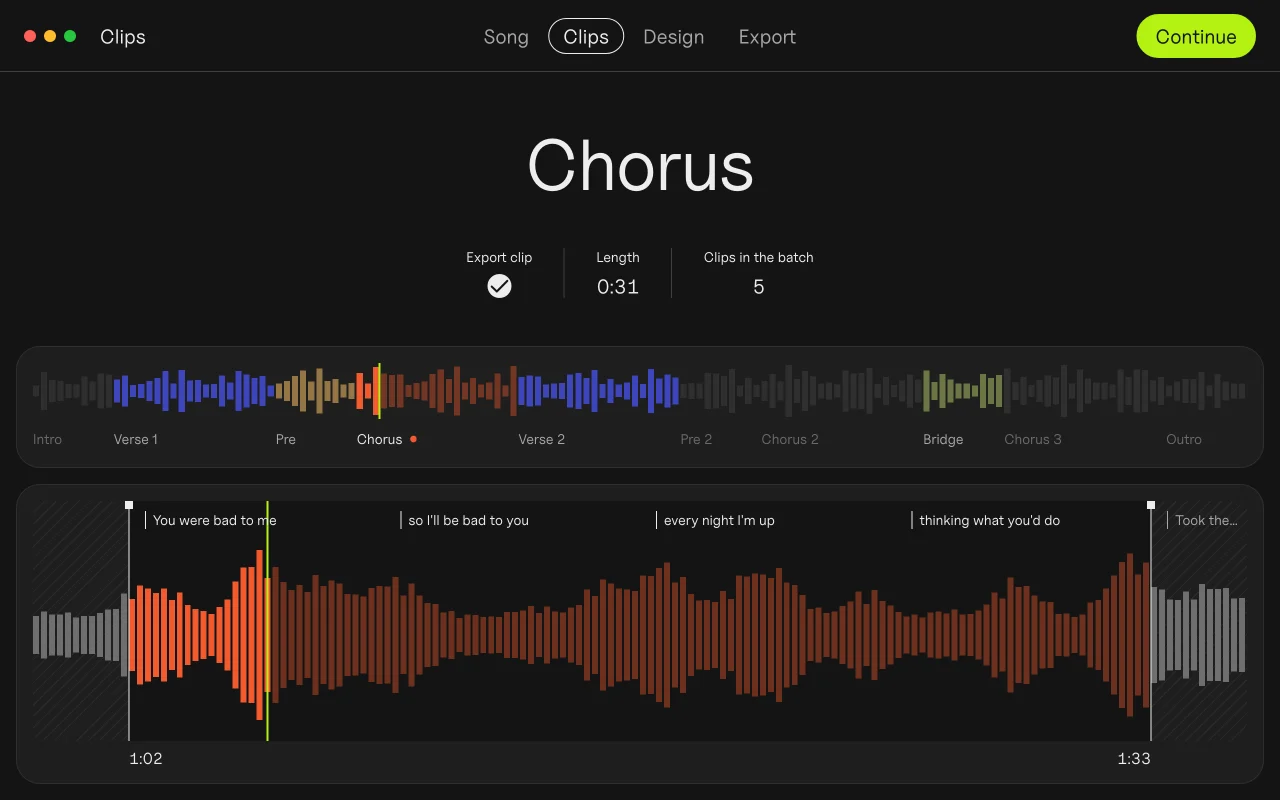
Verse 1
Pre
Chorus
Verse 2
Bridge
Ads in minutes
From a finished song to a full batch. No timeline.
15 ads at once
Every part of the song on every backdrop, in one export.
$99, paid once
No subscription, no credits, no caps.
Works offline
Your unreleased song never leaves your Mac.
The problem
Making 15 videos takes all evening.
So you cut two and pray.
Song in, ads out
Four steps, a few minutes, no timeline.
1 Drop your song
Clips finds the tempo and every part.
Chorus · 16 beats, cut on the beat
2 Pick the parts
Each part becomes one clip, cut on the beat.
Hook
played on repeat all night
Lyrics
so I’ll be bad to you
every night I’m up
Word by word, on the beat
3 Add your hook
A hook line on top, lyrics synced word by word.
4 Export
Every part on every backdrop, ready for Ads Manager.
Test first. Then spend.
Run every part for a week. Let the results pick the hook.
Day 1
Upload the batch
Every file is named by song, part and backdrop, ready for Ads Manager.
Cost per result, one line for each part
Days 2–6
Let them all run
A few dollars a day each. Strangers pick the winner, not your guess.
Cost per result after a week
Day 7
Keep the winner
Verse 2 won, not the chorus. Put your budget behind it.
Same chorus, 14 looks.
Ads that look like your release, not like a template. Try it.
Look
Paper
Strength
Standard
Drag to set how strong the look is.
Who made it
“I built Clips while promoting my album. Cutting the same song fifteen ways was eating the time I wanted for music.”
Kai WilliamsMusic artist · 30K monthly listeners on Spotify
How Clips compares
$99, paid once
- Unlimited songs and exports
- Every look and text layout
- Up to 3 of your own Macs
- Free updates
- 30-day refund, no questions
- Free forever, with a small Clips tag on exports
Your license key comes with the receipt. Studio, for three people: $249 once.
DOT + Clips
Promote your songs with Clips. Catch the next idea with DOT. Both for $23 less than apart.
Both apps unlocked · Up to 3 of your own Macs · Free updates
$125 once
Quick answers before you download
I already use CapCut.
Keep it for one-off edits. Clips is for the 15 near-identical cuts nobody wants to do by hand.
Hypeddit’s maker is free.
It builds ads from stock video. Clips uses your footage and makes them look like your release.
I don’t have footage.
Photos work. Clips animates stills, and one phone clip is enough for a batch.
I’m between releases.
The free version doesn’t expire. Try it on an old song now.
Is my unreleased song uploaded anywhere?
No. Clips works offline, and your song never leaves your Mac.
Another subscription?
No. $99 once, with free updates. Nothing to renew.
I’m on Windows.
Clips is Mac only today. Write to us and we’ll tell you when it’s on Windows.
What do I need?
macOS 13 or later, Apple silicon or Intel; lyric sync is best on macOS 26. Clips exports 9:16 video at 1080 × 1920.
Stop cutting.
Start testing.