The tools
Grouped by the class you teach. Each one opens in the browser, on the board, a Chromebook or an iPad.
A metronome, the circle of fifths, a chord finder and a drum machine for band, theory, guitar and general music. They run in any browser, with nothing to sign up for.
In the room
Put it on the board
A projector, smartboard or TV.
On your class page
Embed the tool
Google Sites, Canvas or any page that takes HTML.
For practice at home
Send the link
Chromebooks, iPads and phones, no sign-in.
Grouped by the class you teach. Each one opens in the browser, on the board, a Chromebook or an iPad.
Nobody signs up, teachers or students. Open the link and play.
The sound is made in the browser. Nothing a student plays or types is uploaded.
Chromebooks, iPads, Windows laptops and Macs, in Chrome, Safari, Edge or Firefox.
No app, no plug-in and no download. A link is all a student needs.
A link is quickest. To keep the tool on your own page, embed it: students use it there without leaving your site.
Open the tool and click Embed.
It sits at the top right of the tool.
Pick a size and copy the code.
Small fits a sidebar, Large a whole column.
Paste it into your page.
In Google Sites, Insert›Embed›Embed code. In Canvas or Schoology, the editor’s HTML view. In WordPress, a Custom HTML block.
For now, only the metronome can be embedded. Every other tool works as a link.
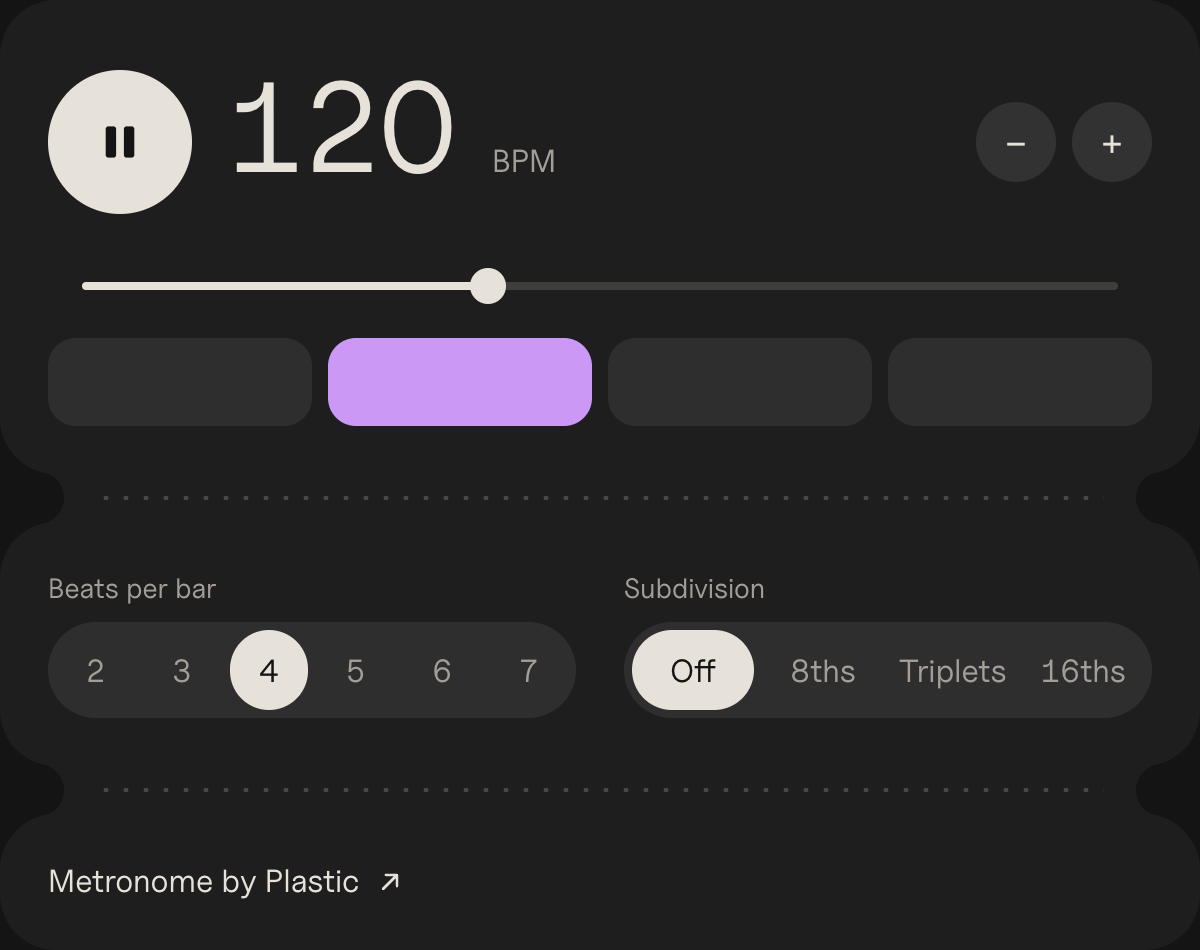
The metronome as it looks on your page. Tempo, play and beats per bar all work.
Yes, every one of them, for as many students as you have. Plastic makes paid apps for musicians, and the tools are free on the side.
No. There’s no sign-up anywhere in the free tools, so there’s nothing to approve and no password to forget.
Yes. They run in Chrome, Safari, Edge and Firefox on Chromebooks, iPads, Windows laptops, Macs and phones.
The capo chart and the key signature chart come as PDFs to print for the wall.
No. An embedded tool shows the tool and one small link back to Plastic, and sets no cookies.