Finger drumming is playing a beat with your fingers on pads, one finger per hit. You don’t need a pad controller to start: the keys of a laptop work as pads, and the drum pad in your browser plays a kit from them for free.

To drum on sounds from songs and videos, DOT ($49 once, free for 10 recordings) records anything your Mac plays, trimmed and ready to drop on a pad.
Where to put your hands
On the free drum pad, the kick is Z, the snare X, the hat A and the open hat Q. Nine keys, Q W E / A S D / Z X C, hold everything a first beat needs.

- Start with the left hand alone. The little finger on A for the hat, the ring finger on Z for the kick, the middle finger on X for the snare. Z sits just below and to the right of A, so the hand rests as it does for typing, with the ring and middle fingers dropped one row.
- Keep the index finger free for D, the clap, and C, the 808.
- Wrist low and loose. Tap from the fingers, not the arm, and lift each finger right after the hit.
The little finger tires on fast hats. Once you play sixteenths, bring the right hand in for the hats, reaching across the keyboard: its index and middle fingers take turns on A, with Q for the open hat just above, while the left hand keeps the kick and snare. It’s the same cross a drummer makes, the right hand over to the hi-hat on the left of the kit.
Practise with a click
Keep the metronome running in another tab, or on your phone, the whole time.
- Start at 70 BPM. Play an exercise until it’s clean four times in a row, then add 5 BPM.
- Count out loud. “1 and 2 and 3 and 4 and” keeps you from rushing the hard bits.
- Record yourself. Rushing and dragging are easy to hear afterwards and hard to feel while you play.
Five exercises

- 1
Kick and snare.
Z on 1 and 3, X on 2 and 4. Nothing else, until it’s steady.
- 2
Add the hats.
A on every count and every “and”, eight in a bar, over the kick and snare.
- 3
Sixteenth hats.
Bring the right hand across and alternate its index and middle fingers on A, to play twice as many hats without tiring.
- 4
Move one kick.
Add a kick on the “and” of 3. It’s the change that turns the first beat into most pop and hip hop.
- 5
A fill on the toms.
On the last beat of every fourth bar, play W then E, the high and mid toms, then come back to the beat on 1.
When the five feel easy, open the drum patterns, pick a genre, and play its main groove on the pad while the pattern plays.
What a laptop keyboard can’t do
- Velocity. A key is either pressed or not, so every hit plays at the same loudness. Pad controllers sense how hard you hit, which is how finger drummers play ghost notes and accents.
- Many keys at once. Some keyboards drop a key when you press several together. If a hit goes missing in a chord of three or four, that’s why.
For learning where the hits go and keeping time, the keyboard is enough. Once you want dynamics, a pad controller is the next step.
Drum from the menu bar
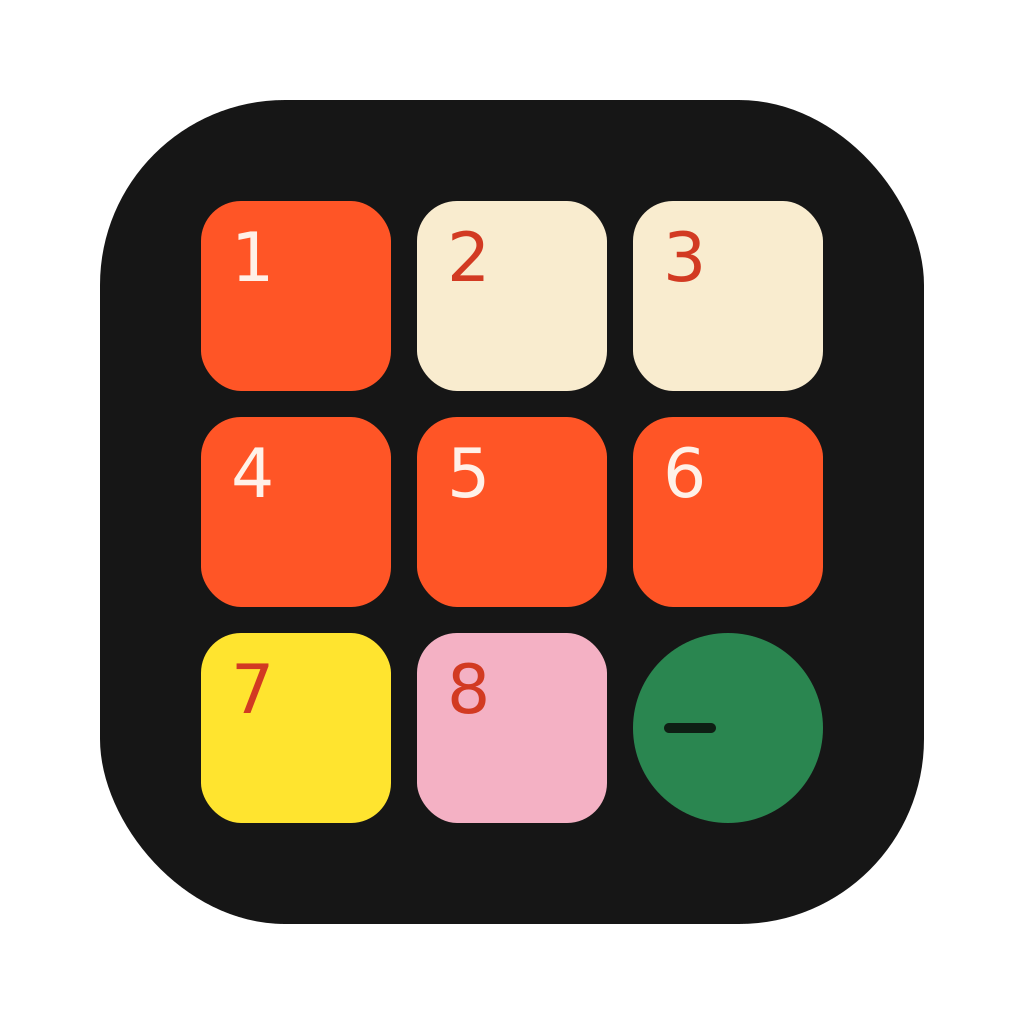
Drum Pad ($19 once) is a 3×3 drum pad in the Mac menu bar, on the same nine keys. The kick, snare and hat sit where they do on the web pad, so the hand position and the first four exercises work as they are:
- Top row: Q 808, W shaker, E crash.
- Middle row: A hat, S open hat, D rim.
- Bottom row: Z kick, X snare, C clap.
The open hat on S sits right next to the hat, so the little finger or the right hand reaches it in one step. The app has no toms, so play the fill on W, the shaker, and land on the crash, E, with the kick on 1. Q is a long 808, for a low note under the kick. The pad stays over whatever app you’re in, takes any sound you drop on a pad, and records with a count-in, so you can save what you played as audio or MIDI.
 Clips8 min read