Where to get lyric video templates
A lyric video template is a ready-made design: the fonts, the motion and the backdrop are set, and you swap in your song and your words. Here's where to find them and what they cost.
What you get · Cost, October 2026
| Where | What you get | Cost, October 2026 |
|---|---|---|
 Clipsours Clipsours | Layouts for every part, lyrics timed | Free to try; $99 once |
| CapCut | Templates; Auto lyrics on the phone | Free; Pro $19.99 a month |
| Canva | 62 lyric templates, 16:9 | Free; Pro $144 a year |
| Adobe Express | Lyric templates, vertical canvas | Free; Premium $9.99 a month |
| Envato | Premiere, After Effects, FCP, Resolve | $16.50 a month, yearly |
| Motion Array | Premiere, After Effects, FCP, Resolve | From $15.99 a month |
- CapCut: on a Mac or on the web, open Templates and choose Use template, then swap in your clips and text. On a phone, templates open from links in TikTok videos with Use template in CapCut. CapCut notes that a template creator's own footage may be protected. Pro is $19.99 a month or $179.99 a year.
- Canva: 62 lyric video templates, all filed under landscape videos, so they're 16:9, made for YouTube. Most are marked Pro.
- Adobe Express: a free lyric video maker with templates. Its Create now button opens a vertical 1080 × 1920 canvas, and you upload your own song. Premium is $9.99 a month.
- Envato and Motion Array: subscriptions with unlimited downloads of templates for Premiere Pro, After Effects, Final Cut Pro and DaVinci Resolve, so you need one of those apps too. Envato's Core plan is $16.50 a month billed yearly, or $39 month to month.
Read a template's notes before you download it. One Motion Array lyric template we looked at is 1920 × 1080, made for Premiere CC 2018, with 30 text slots and no music included.

Free lyric video templates
The free ones, as of October 2026:
- CapCut: free templates on the phone, the desktop app and the web.
- Canva: a few of the 62 lyric templates are free; the rest need Pro. A free account can still start from a blank lyric video design.
- Adobe Express: the lyric video maker is free to use, with no credit card.
- Envato and Motion Array: not free; both are paid subscriptions.
Other artists use the same free templates. Change the colors and the font, and use your own footage, photos or cover art as the backdrop, so the video looks like your release and not like the template.
How to use a lyric video template
- Pick the shape first: 16:9 for YouTube, 9:16 for Reels, TikTok and Shorts. Changing it later means redoing the layout.
- Count the text slots. A template comes with a set number of lines (the Premiere one above has 30). If your song has more lines, you'll copy slots, or make one video per part of the song.
- Put your song in place of the demo music, and trim the template to the song's length.
- Type your lyrics in, one sung line per slot, as they're sung, repeats and ad-libs included.
- Time each line to the voice. The template's timings fit its demo music, not your song. Drag each line's start to its first sung syllable. This is the slow step.
- Swap the backdrop for your own footage, photos or cover art.
- Play it through at full speed, fix the lines that land late, and export an MP4 at the size you picked.
The full method for timing by hand is in how to make a lyric video.

How to add lyrics to a video
Three ways to put the words into the video itself, from the fastest to the most exact, then two that work inside YouTube and Instagram.
Automatically, on a phone: CapCut Auto lyrics
- Open a CapCut project with your video and the song on it.
- Tap Text, then Auto lyrics. In some regions it's called Auto captions.
- Read every line, and fix the words it got wrong.
CapCut says Auto lyrics is fully supported only in its phone app. Its desktop app and the web version can't make new lyrics (as of January 2026). If you edit on a Mac, our CapCut alternatives compares the editors that can.
With captions, on a Mac
Caption tools listen for speech and turn it into timed text. A voice over a beat is harder for them than speech.
- CapCut on the Mac: Auto captions. CapCut suggests muting the music before you run them. With a song, that means running them on the vocal alone if you have it (a vocal stem from your mix), then putting the full song back.
- Final Cut Pro: select the clips, then choose Edit > Generate Captions > Closed Captions. It needs a Mac with Apple silicon and works in U.S. English only. Apple warns that music may affect the accuracy and timing.
- Adobe Premiere: Speech to Text makes captions, and can split them into one word at a time.
Whichever you use, check every line against your lyrics before you export.
By hand, in any editor
Add one text title per sung line, and drag each one to the voice. It's the slowest way, and the most exact. CapCut, iMovie, Canva and every editor above can do it.
On a video that's already on YouTube
In YouTube Studio, open Subtitles, pick the video, add a language and choose Auto-sync. Paste your lyrics, and YouTube times them to the video. It's made for speech, so play it through and fix the lines that land late. Viewers see the words when they turn captions on.
Lyrics stickers on Instagram Stories
The lyrics in Instagram's music sticker come from Musixmatch. To have yours there, sign up at Musixmatch, add your lyrics with their timing, and wait for approval. Then anyone who adds your song to a Story with the music sticker can show the words.

What size should a lyric video be?
Shape · Size
YouTube
16:9
1920 × 1080
Reels, TikTok, Shorts
9:16
1080 × 1920
Square posts
1:1
1080 × 1080
A 16:9 template won't crop into a vertical video. A 9:16 frame cut from a 1920 × 1080 video keeps a strip about 608 pixels wide, under a third of the picture, so a lyric line set across the screen loses both ends. Make the vertical version from a vertical template, or rebuild the layout.
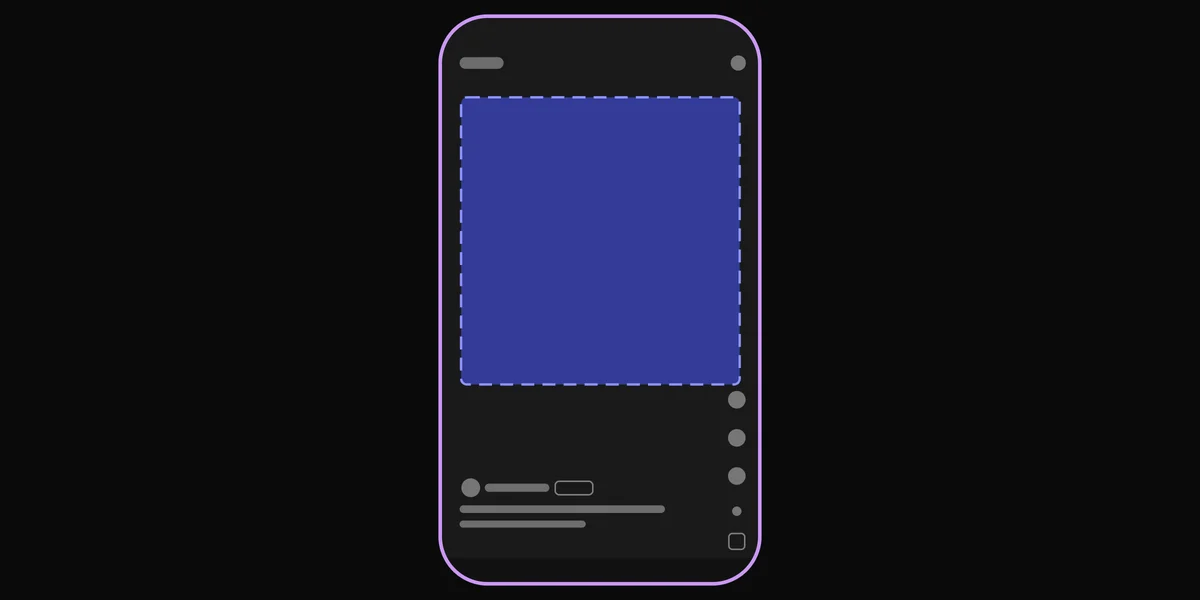
In vertical videos, keep the words away from the edges, where the app's buttons and captions sit. On Reels, Meta suggests leaving at least 14% of the top, 35% of the bottom and 6% of each side free of text. Drop a frame into the free safe zone checker to see what each app covers.

When a template stops being enough
A template is the right tool for one video: the YouTube version of your single, or one clip for release day. It gets slow when you need many:
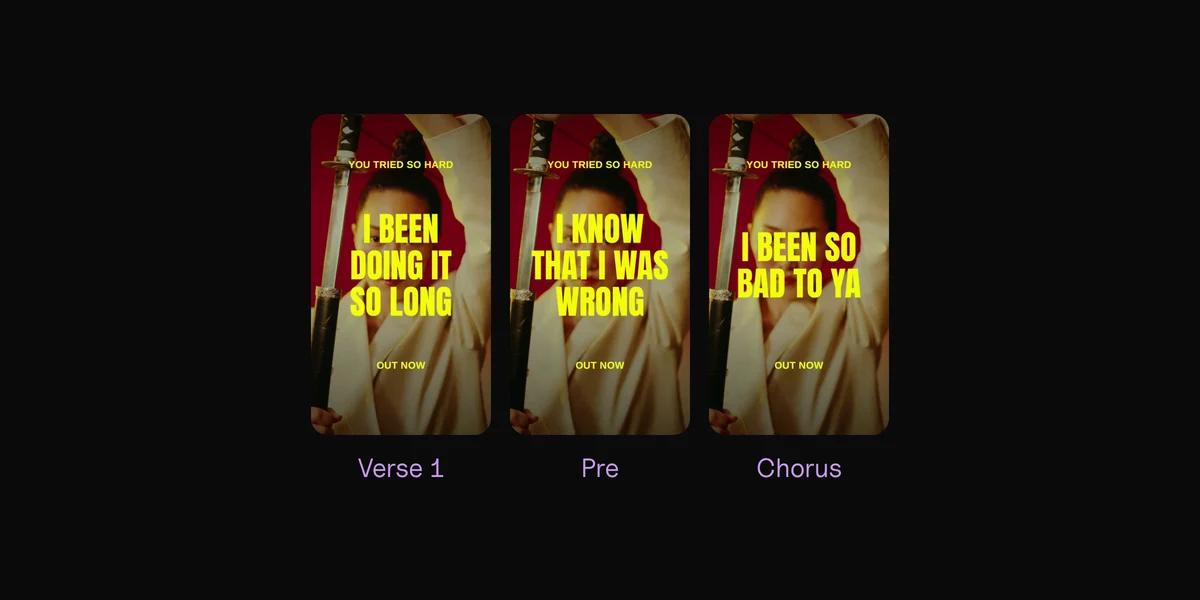
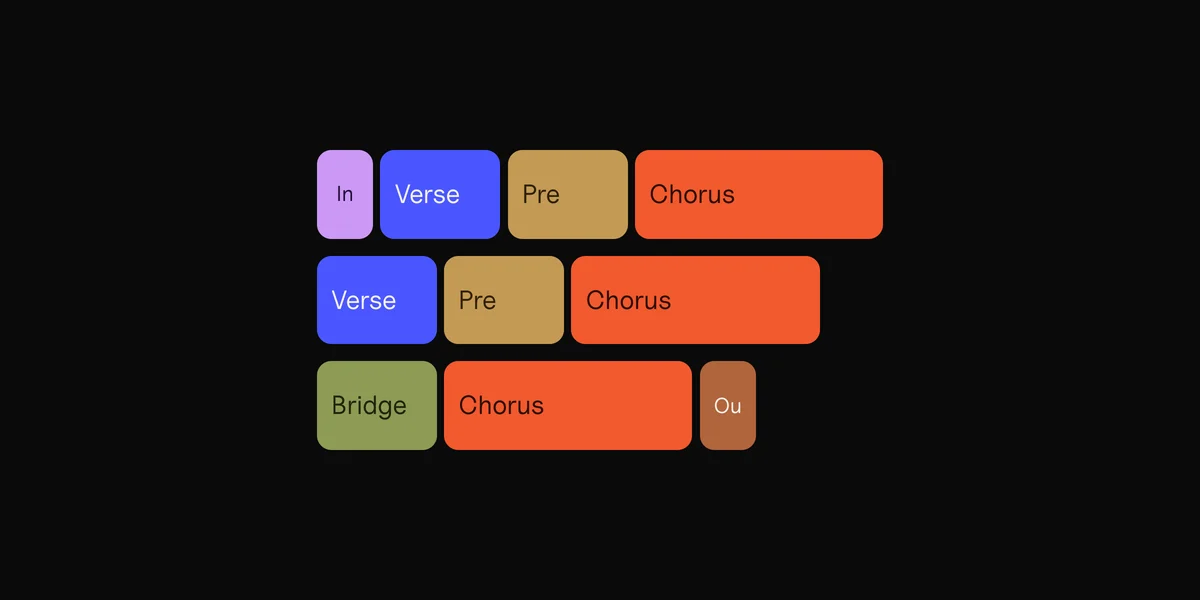
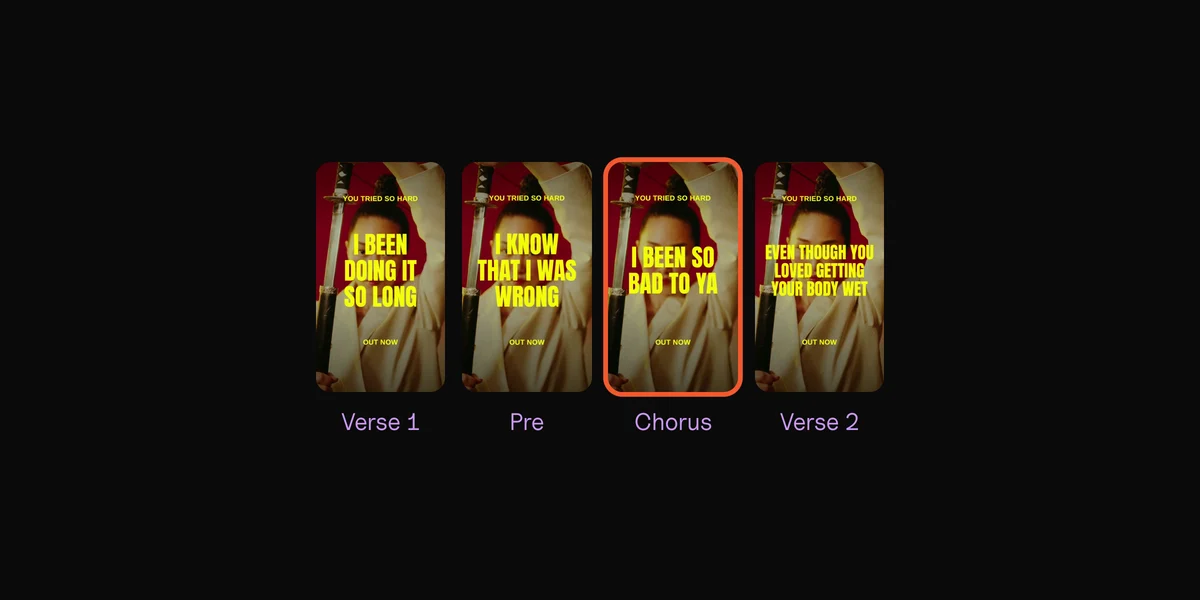
- One template makes one video. A song has several parts (verses, pre-chorus, chorus, bridge), and each one can be its own clip for Reels, TikTok or an ad.
- Every clip needs its lines timed again, because every part has different words.
- The slots are fixed, so a long line or a fast verse may not fit.
- The look repeats when other artists pick the same template.
That's the job Clips was made for. It's a Mac app: drop in your song, your footage or photos, and your lyrics as a text file. It finds the tempo and every part, and makes one vertical clip per part, cut on the beat.
It syncs the lyrics word by word by itself. The few words it isn't sure of go to a short check, where you play the line and tap when you hear the word. Pick a layout (Bold, Serif, Gothic, Clean, Ornate or Script) and one of 54 effects, and the same look goes on every part, with the words inside the safe zone you choose.
Export makes every part on every backdrop at once, as 1080 × 1920 vertical videos or 1080 × 1080 square posts, named by song and part. It works offline, so an unreleased song never leaves your Mac.
What Clips doesn't do: it doesn't make a 16:9 lyric video for YouTube; use a template or an editor for that one. And it doesn't write your lyrics down: you bring the words, and it times them.
Your lyrics, synced word by word, on your own footage.
Online makers
Stock footage, a subscription, your song uploaded.
Clips
Your footage, $99 once, nothing leaves your Mac.
Questions
Where can I find free lyric video templates?
CapCut, Canva and Adobe Express all have them. Canva's lyric templates are 16:9 and mostly Pro; Adobe Express starts you on a vertical 1080 × 1920 canvas. Envato and Motion Array are paid subscriptions.
Can CapCut add lyrics automatically?
Yes, in the phone app: tap Text, then Auto lyrics (called Auto captions in some regions). CapCut's desktop and web versions can't make new lyrics. Check every word before you post.
How do I add lyrics to a TikTok video?
Make the lyric video before you upload it, in CapCut, any editor or Clips, and post it as it is. Keep the words out of the bottom of the frame, where TikTok shows the caption and buttons.
Can I add lyrics to a video I've already posted on YouTube?
Yes, as captions. In YouTube Studio, open Subtitles, add a language and choose Auto-sync, then paste your lyrics. YouTube times them, and viewers see them when captions are on.
Do I need After Effects for a lyric video template?
Only for After Effects templates. Envato and Motion Array also sell templates for Premiere Pro, Final Cut Pro and DaVinci Resolve. CapCut, Canva and Adobe Express templates work in their own apps or in the browser.
What's the best font for a lyric video?
One plain, bold font, big, in one color that stands out from the backdrop. Most people watch on a phone, so if the words look a little too big on your screen, they're about right. Save a fancier font for the title.
Sources
- Lyric video templates and Pricing, Canva
- Lyrics video templates, How to use templates, Auto Lyrics availability, Fixing inaccurate auto-captions and Pricing, CapCut
- Lyric video maker and Pricing, Adobe Express
- Create single word captions, Adobe Premiere
- Lyric video templates and Pricing, Envato
- Lyrics Video by CreativPixl and Pricing, Motion Array
- Create closed captions, Final Cut Pro User Guide, Apple
- Add subtitles and captions and Video resolution and aspect ratios, YouTube Help
- Instagram Reels ad specs, Meta
- Can I add my lyrics to Instagram?, Ditto Music