Why musicians look for a CapCut alternative
CapCut is free to start. On a Mac, musicians run into a few limits.
- Auto lyrics is phone-only. CapCut’s help center says Auto lyrics is fully supported only in the phone app. The Mac app doesn’t include it, and since January 2026 neither does CapCut on the web. The Mac app has Auto captions, which are built for speech: CapCut’s own advice is to mute the music for cleaner captions.
- Pro is a subscription. CapCut Pro is $19.99 a month or $179.99 a year in the US, and CapCut says the price varies by region. Effects and templates marked with a purple diamond need Pro.
- A cheaper plan doesn’t reach the Mac. In some regions CapCut sells a Standard plan, but its benefits work only in the phone app, not on the Mac or the web.
- Questions about who runs it. CapCut is made by ByteDance, TikTok’s parent company. In January 2025 it left the US app stores along with TikTok, and came back in February. Since January 2026, CapCut in the US is covered by the TikTok USDS Joint Venture, a US company in which ByteDance keeps 19.9%.
The watermark isn’t a good reason to switch. CapCut’s help says the logo comes from a default ending clip or a template. Delete that clip at the end of the timeline, and the export is clean.

CapCut alternatives for Mac, compared
Best for · Vertical 9:16 · Cost, October 2026
| App | Best for | Vertical 9:16 | Cost, October 2026 |
|---|---|---|---|
 Clipsours Clipsours | Lyric clips of every part | Yes, and square | Free to try; $99 once |
| DaVinci Resolve | A full edit, free | Yes | Free; Studio $295 once |
| iMovie | A simple 16:9 video | No | Free, from Apple |
| Final Cut Pro | Cutting to a beat grid | Yes | $299.99 once |
| Adobe Premiere | Word-by-word captions | Yes | $22.99 a month, yearly plan |
| Canva | Templates and Beat Sync | Yes | Free; Pro $144 a year |
| VN | Free editing, phone and Mac | Yes | Free; Pro from $6.99 |
| LumaFusion | The iPad editor, on a Mac | Yes | $29.99 once |
| InShot | Quick edits | Yes | Free; Pro $19.99 a year |
Prices are in US dollars, as of October 2026. Three things to know:
- iMovie can’t make vertical video. Its crop frame is locked to 16:9, so it’s for the YouTube version.
- Final Cut Pro also comes in Apple Creator Studio, at $12.99 a month or $129 a year. That bundle includes Logic Pro too.
- LumaFusion and InShot are iPad apps. They run only on Macs with Apple silicon (M1 or later). LumaFusion needs macOS 26, InShot macOS 13.
Which CapCut alternative to pick
- A full music video, free: DaVinci Resolve.
- A simple video for YouTube, free: iMovie.
- Cuts that land on the beat: Final Cut Pro’s beat grid, or Canva’s Beat Sync.
- You already pay for Adobe: Premiere.
- Quick edits on the phone and the Mac: VN.
- You also edit on an iPad: LumaFusion.
- Vertical lyric clips of every part of a song, for posts and ads: Clips.

CapCut Pro price vs the alternatives
A subscription adds up. Over two years, CapCut Pro’s yearly plan comes to $359.98. That’s more than Final Cut Pro bought once, at $299.99.

Free is enough for most music videos. Pay when a tool saves you hours you’d otherwise spend on every release.
The best CapCut alternatives, one by one
DaVinci Resolve: the best free alternative
Resolve is a full editor with color, audio and effects. The free version works at up to Ultra HD (3840 × 2160) and 60 frames per second, and it edits vertical timelines too. There’s more to learn than in CapCut. The paid Studio version ($295 once) adds more tools, such as voice isolation.
iMovie: the simplest free option
iMovie comes free with every Mac. It’s the easiest way to put a performance video together for YouTube. It has no beat grid, so you find the beats by ear and split clips there with Command-B. Titles are timed by hand, and it can’t do vertical video.
Final Cut Pro: a beat grid for music
Final Cut Pro’s Beat Detection shows the song’s parts, bars and beats on the timeline, and with snapping on, edits snap to them. Apple suggests a song in 4/4 for the most accurate grid. It turns a project into square or vertical versions, and makes captions from speech. It costs $299.99 once, or comes with Apple Creator Studio.
Adobe Premiere: if you already pay for Adobe
Premiere’s Speech to Text makes captions, and it can show them one word at a time. Press M as the song plays to drop a marker on the beat. It’s a subscription: $22.99 a month on a yearly plan.
Canva: templates and Beat Sync
Canva runs in the browser or as a Mac app. Beat Sync finds the beats and shows them as markers you can snap clips and text to. The free plan shows the markers; the button that syncs everything at once is Pro. Most of its lyric video templates are Pro too. Our lyric video templates guide compares its templates with CapCut's and Adobe Express's.
VN: a free editor for phone and Mac
VN has a Mac app as well as phone apps, and its App Store listing says it’s free with no watermark. VN Pro is an in-app purchase.
LumaFusion and InShot: iPad apps on a Mac
Both are built for the iPad and run on Macs with Apple silicon. LumaFusion is $29.99 once, with an optional Creator Pass ($9.99 a month). InShot is free, with Pro at $4.99 a month, $19.99 a year or $49.99 once.
Clips: lyric clips for every part of a song (ours)
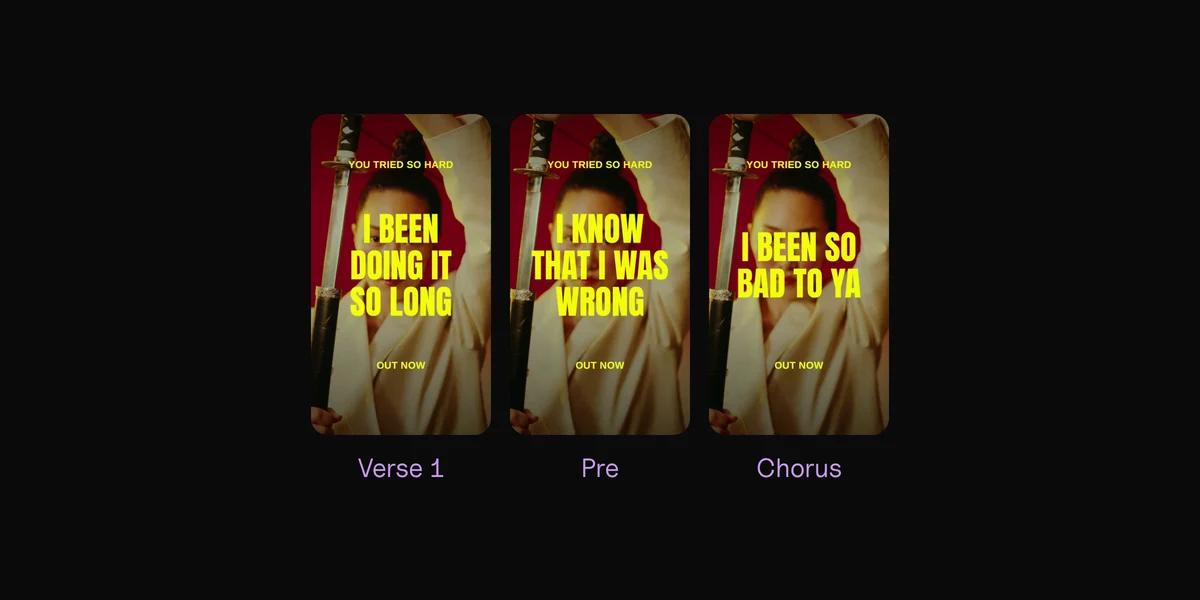
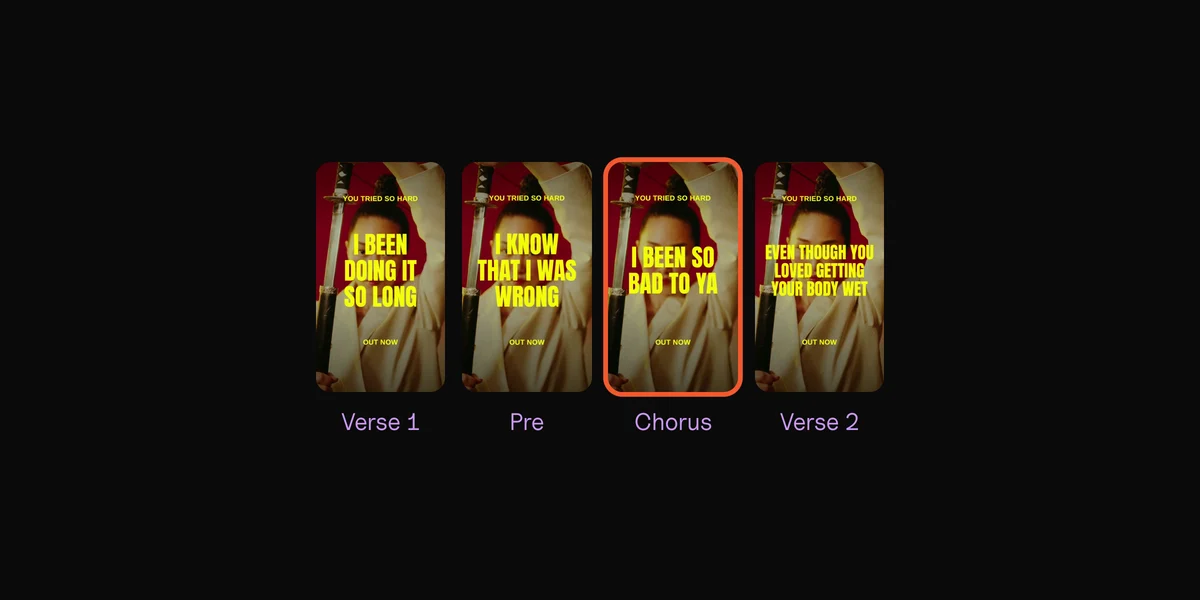
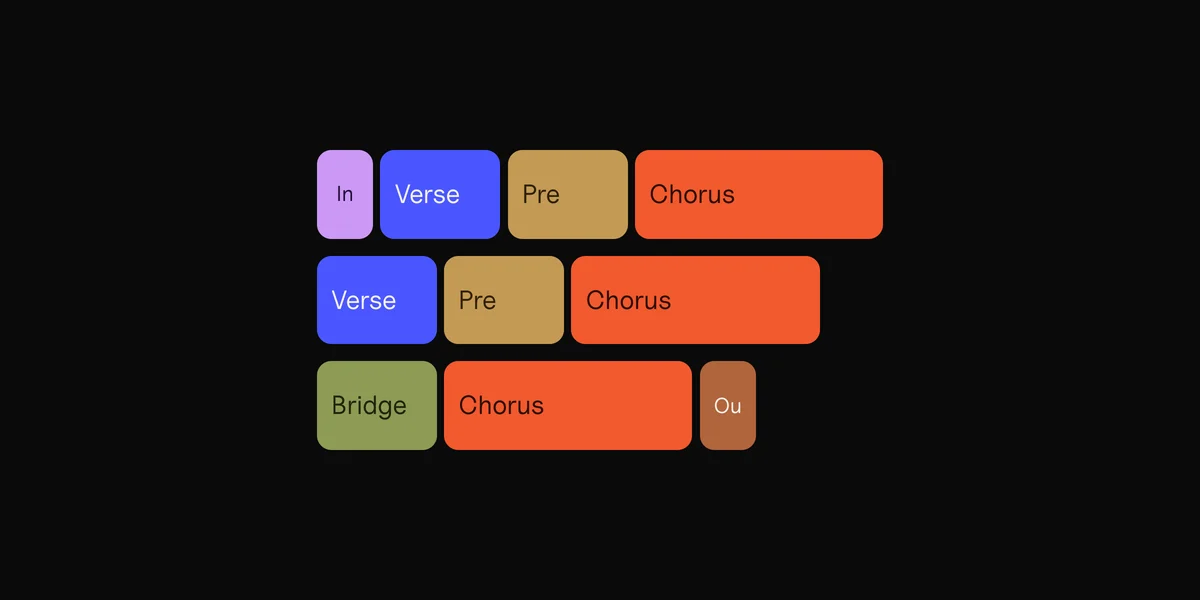
Clips is a Mac app for one job that takes hours in CapCut: vertical lyric clips for every part of a song. Drop in the song, your footage or photos, and your lyrics as a text file. Clips finds the tempo and every part: intro, verses, pre-chorus, chorus, bridge, outro. Each part becomes one vertical clip, cut on the beat.
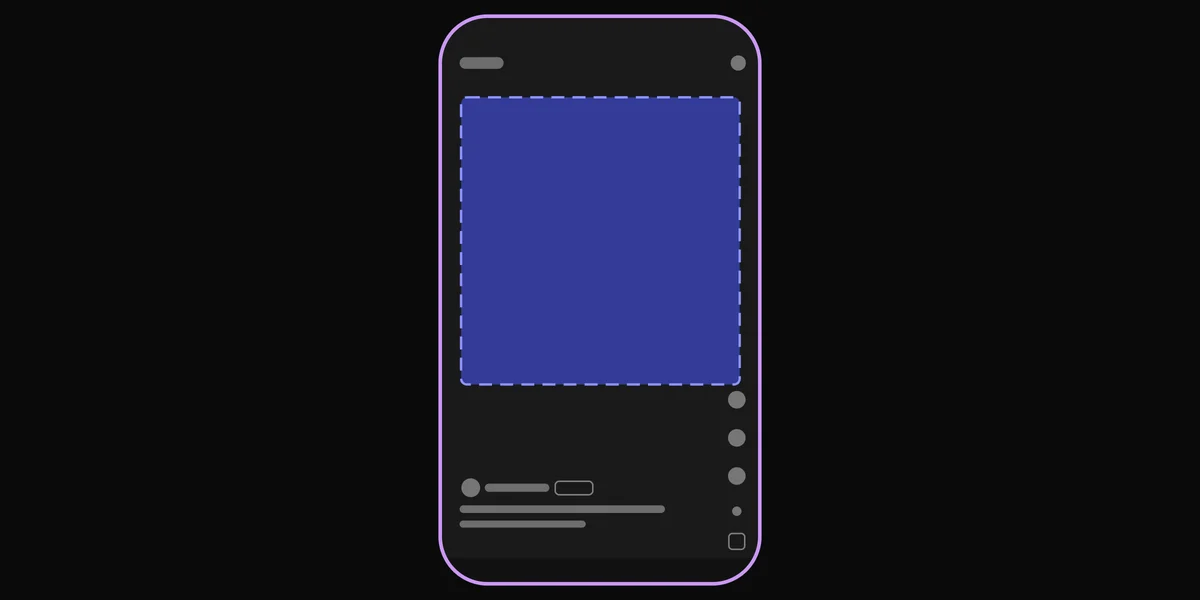
It syncs your lyrics word by word. The few words it isn’t sure of go to a short check, where you play the line and tap when you hear the word. Pick a layout and one of 54 effects; the words stay inside the safe zone. One export makes every part on every backdrop, as 1080 × 1920 vertical videos or 1080 × 1080 square posts, named by song and part. It works offline, so an unreleased song never leaves your Mac.
What Clips doesn’t do: it isn’t a general video editor. There’s no free timeline and no 16:9: it makes vertical and square clips only. It doesn’t write your lyrics down either: you bring the words. For the full music video, use Resolve, iMovie or Final Cut Pro, and Clips for the clips around it. It needs macOS 13 or later, and lyric sync works best on macOS 26.
Your lyrics, synced word by word, on your own footage.
Online makers
Stock footage, a subscription, your song uploaded.
Clips
Your footage, $99 once, nothing leaves your Mac.
Questions
Is CapCut free?
Yes, to start. Basic editing is free, but effects and templates marked with a purple diamond need Pro: $19.99 a month or $179.99 a year in the US. CapCut says prices vary by region.
Is there a CapCut app for Mac?
Yes. CapCut has a desktop app for Mac and Windows. It doesn’t include Auto lyrics, which is fully supported only in the phone app.
Does CapCut put a watermark on videos?
Not on everything. CapCut’s help says the logo comes from a default ending clip or a template. Delete the ending clip at the end of the timeline, check for logos in template parts, and export again.
Is CapCut banned in the US?
No. It left the US app stores in January 2025 and came back in February. Since January 2026, CapCut in the US is covered by the TikTok USDS Joint Venture, the US company set up for TikTok.
What’s the best free CapCut alternative for Mac?
DaVinci Resolve, if you want a full editor and don’t mind learning it. iMovie, if you want the simplest one and only need 16:9. Both are free with no watermark.
Which CapCut alternative syncs lyrics on a Mac?
Final Cut Pro’s Generate Captions and Premiere’s Speech to Text make captions from speech, so check every sung word. Clips syncs the lyrics you give it, word by word, in vertical clips.
Sources
- Pricing, Auto Lyrics availability, Fixing inaccurate auto-captions, Diamond-icon items, Subscription across platforms, How much does CapCut Pro cost?, Removing the watermark and Auto Cut, CapCut
- TikTok is back on US app stores, TechCrunch, 13 February 2025
- TikTok USDS Joint Venture LLC established, press release, 22 January 2026
- DaVinci Resolve and DaVinci Resolve Studio, Blackmagic Design
- Crop clips and Keyboard shortcuts, iMovie User Guide, Apple
- Final Cut Pro, Apple Creator Studio, Edit to the beat and Final Cut Pro on the Mac App Store, Apple
- Compare Premiere plans, Create single word captions and Add markers, Adobe
- Beat Sync, Syncing audio with video, Lyric video templates and Pricing, Canva
- VN: Video Editor, LumaFusion and InShot, App Store