Album cover size: the short answer
- Size: 3000 × 3000 pixels.
- Shape: a perfect square, 1:1.
- File: JPG at the highest quality. DistroKid asks for JPG, and every other service here accepts it.
- Color: RGB (sRGB), never CMYK. Apple and CD Baby turn CMYK files away.
- File size: under 10 MB, TuneCore's limit and the lowest of the distributors here. If your JPG is bigger, lower the quality a little. (SoundCloud's own track art has to be under 2 MB.)
- Never upscale. Spotify and Apple both say not to blow up a small picture to reach the size. Start from a big original.
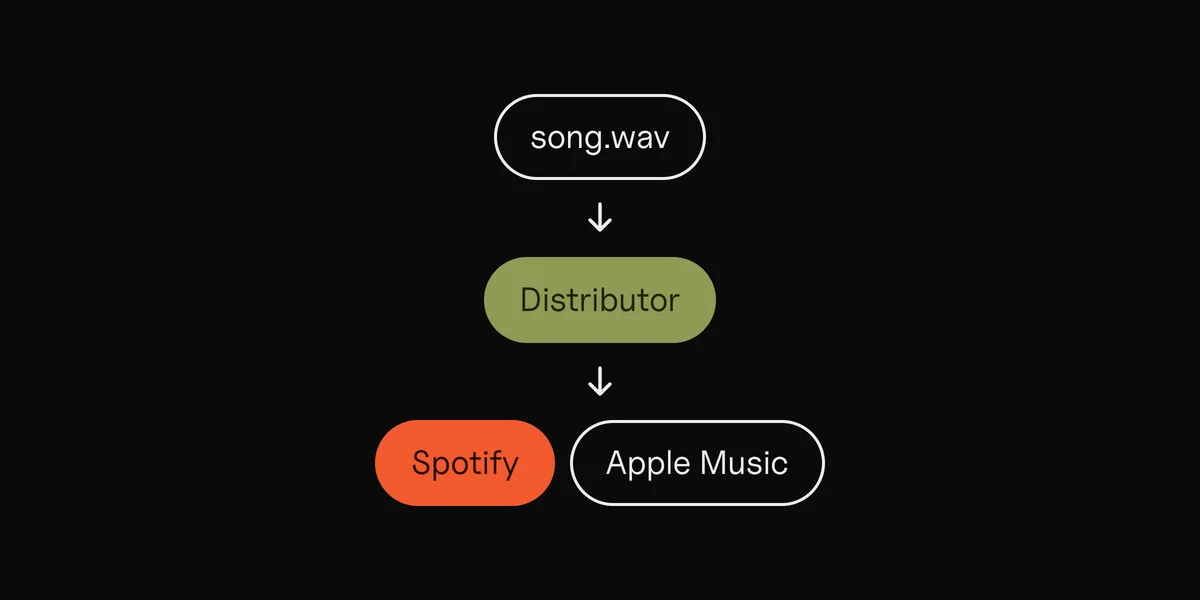
You don't upload your cover to Spotify or Apple Music yourself: your distributor sends it with the song. So the size that matters is your distributor's, and 3000 × 3000 fits every one of them. Still choosing one? See music distributors compared.

Cover art requirements by platform
Here's what each service says about size and file type, from its own help pages, checked in October 2026:
Size in pixels · File types
| Where | Size in pixels | File types |
|---|---|---|
| Spotify | 640 to 10,000 | JPG, PNG or TIFF |
| Apple Music | 3000 recommended, 1400 minimum | JPG or PNG |
| DistroKid | 3000 ideal, 1000 minimum | JPG |
| TuneCore | 1600 to 3000 | JPG, PNG or GIF, under 10 MB |
| CD Baby | 1400 to 3000 | JPG, PNG or GIF, under 25 MB |
| YouTube Music art tracks | 1400 or more, up to 4098 | JPG or PNG |
| Bandcamp | 1400 minimum, bigger is better | Not stated |
| SoundCloud | 800 minimum; 3000 to distribute | JPG or PNG |
What the table can't hold:
- Spotify also asks for sRGB color at 24 bits per pixel, which means no transparent areas. It doesn't support embedded color profiles or rotation tags, so export the cover from an editor rather than sending a phone photo straight from your camera roll.
- Apple Music has two numbers. Its spec for distributors recommends 3000 × 3000 and accepts 1400 × 1400. Its cover art page for artists asks for at least 4000 × 4000. Your distributor delivers the file, so follow your distributor's size.
- DistroKid fixes art that's too small or not square, but warns the result may not look the way you meant. The cover must be one image, never several "pages".
- TuneCore asks for at least 72 dpi, and 300 is better. Dots per inch only matter for print; the pixels are what count online.
- YouTube Music turns each track into an "art track": your audio over your cover. Your distributor sends the cover, so you don't upload it to YouTube yourself.
- Bandcamp leaves releases without art out of search, tag pages and Discover.
- SoundCloud wants 800 × 800 or more, under 2 MB, for the art on an ordinary upload. Releases it distributes to other stores need 3000 × 3000.
What gets cover art rejected
Stores share most of their rules. DistroKid, TuneCore, CD Baby, SoundCloud and Apple each list the same kinds of things:
- Web addresses, QR codes, social handles and social media logos, and any email or phone number.
- Store names and logos, like Spotify's or iTunes'.
- Prices, barcodes and packaging words: "CD", "vinyl", "digital exclusive", "for promo use".
- Dates and time words. CD Baby rejects "new"; SoundCloud rejects "Out Now" stickers; Apple says no years or dates.
- Text that doesn't match the release. Your artist name and title may be on the cover, but spelled exactly as you entered them. "The Example Band" on the form means "The Example Band" on the art, not "Example Band Official".
- Blurry, pixelated, stretched or rotated pictures, and text or images cut off at the edge.
- Pictures you don't have the rights to. DistroKid's list includes "unlicensed/stock photography".
- The same cover as another of your releases. DistroKid and SoundCloud may reject it.
- A plain single-color square. CD Baby and SoundCloud may turn it down as generic.
- Nudity or pornography, and on CD Baby, graphic violence or gore.
- A Parental Advisory logo on a release that isn't marked explicit.
- An artist who isn't on the release, shown or named in a way that misleads (Apple).

Free album cover templates
The page's templates are made to the sizes above:
 Album cover template3000 × 3000 · transparent PNGDownload
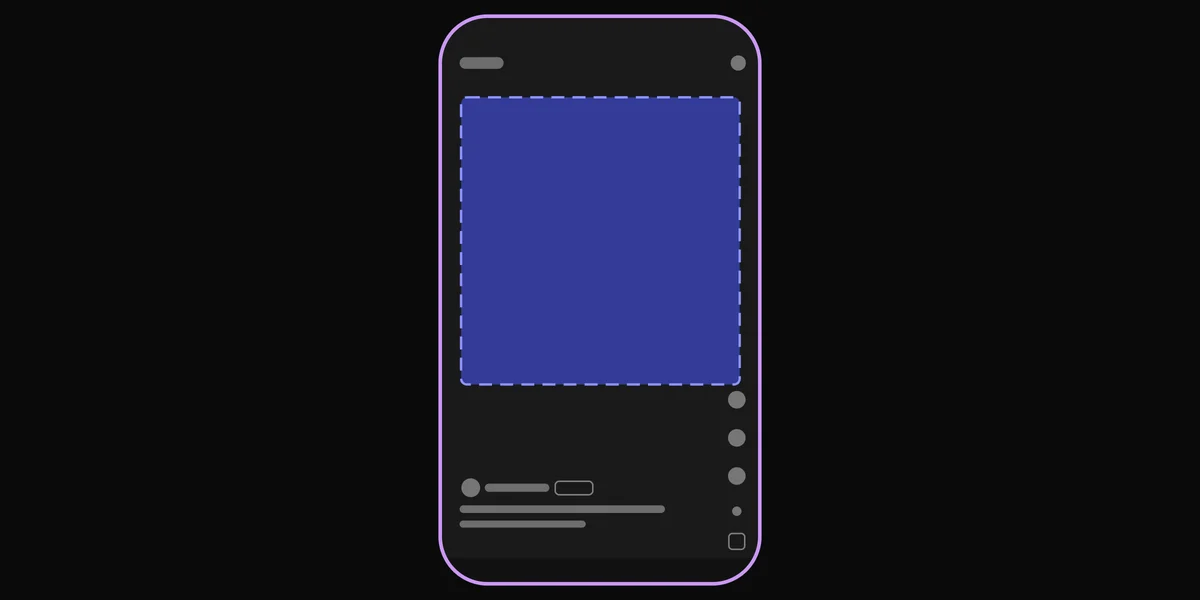
 Story template1080 × 1920 · transparent PNGDownload
- Album cover template, 3000 × 3000: a guide layer with the square, a margin drawn in from each edge, and center lines. Keep your title and name inside the margin, so nothing looks cut off. The margin is our suggestion, not a store rule.
- Story template, 1080 × 1920: a vertical 9:16 frame for announcing the release on Instagram Stories. It marks the parts of the screen Instagram covers and a square slot for your cover in the clear middle.
How to use them:
- Open the template in your editor (Photoshop, Affinity, GIMP, Canva or Figma) and put it on the top layer.
- Design underneath it. Keep text inside the margin.
- Zoom out until the cover is the size of a thumbnail. Your cover often shows up small: in a list of songs, a search result, a playlist. If you can't read the title or tell what the picture is, make the text bigger or the picture simpler.
- Hide the template layer, then export a 3000 × 3000 JPG in sRGB at the highest quality.

Turn your cover into a vertical promo for Stories and Reels
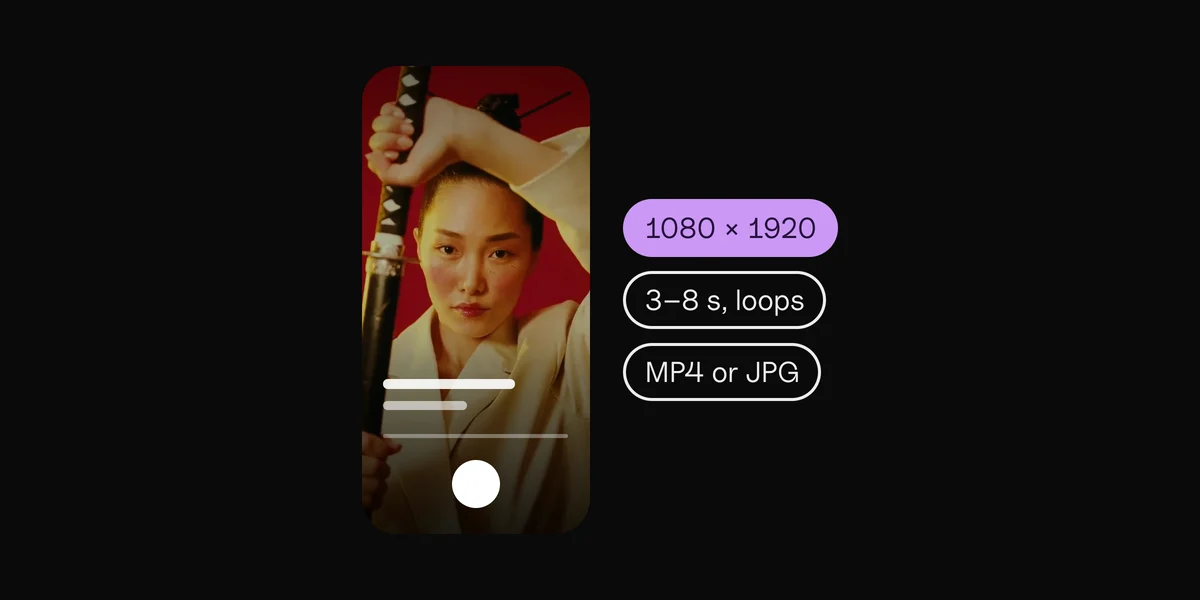
Release day needs more than the cover. Stories, Reels and TikTok are tall, 9:16, and your cover is square. Here's how to make one from the other:
- Start a 1080 × 1920 canvas. That's the Instagram Story size. Meta's ad guide recommends 1440 × 2560 for ads, the same shape.
- Fill the background with your cover, scaled up until it covers the frame, then blurred or darkened. A solid color picked from the cover works too.
- Place the cover in the middle, about 800 pixels wide. Meta's guide for Story ads asks you to keep about 14% at the top, 35% at the bottom and 6% at each side free of text and key visuals, because the profile line, reply bar and buttons sit there.
- Add one short line: the title and "out now". Stores reject "out now" on a cover, but it's right on a Story.
- Add the song. On Instagram, the music sticker plays your track over the Story.
- Check the frame in the free Instagram Story safe zone checker before you post.

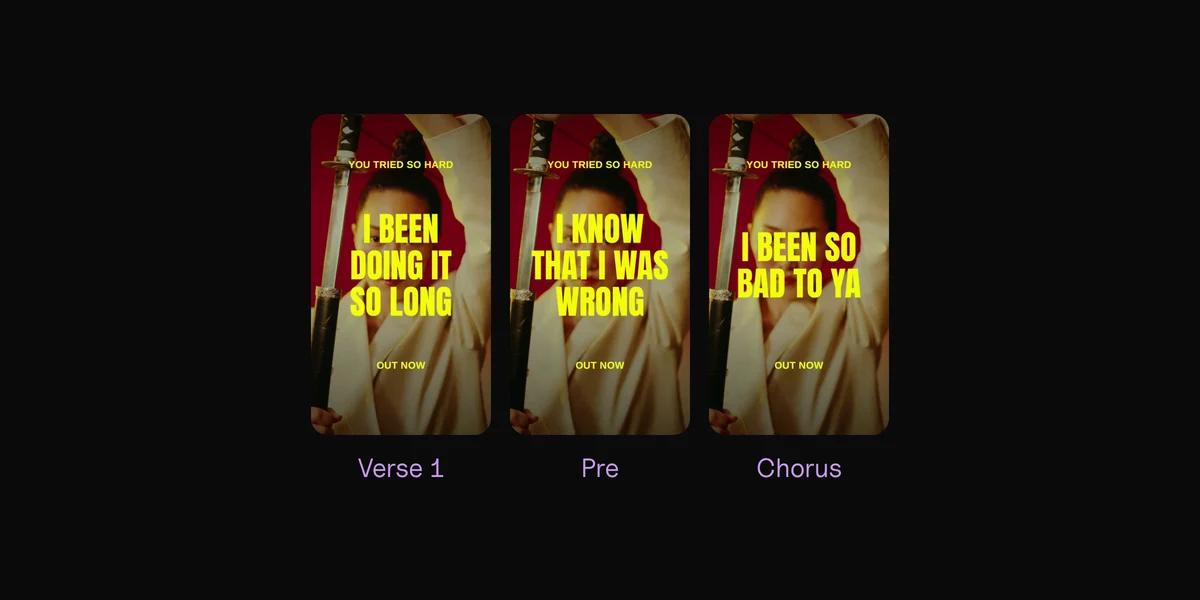
A still cover tells people the song is out. It doesn't let them hear why they'd like it. For that, the song itself has to play, with something on screen that moves: a slow zoom over the cover, footage from a shoot, or the lyrics as they're sung. For Reels, TikTok and Shorts at once, the safe zone checker shows the area that's clear on all four.
From one cover to a video for every part
Clips is a Mac app for that next step. Drop in the song and your footage or photos: photos work, because Clips animates stills, so the cover can be a backdrop too. Clips finds the song's parts and cuts a vertical lyric video for each one, on the beat, with the lyrics synced word by word. It exports 1080 × 1920 videos, or 1080 × 1080 squares, with every file named by song, part and backdrop. It's free to try and works offline, so an unreleased song never leaves your Mac.
If someone else made your cover, check that your agreement with them covers video before you animate it.
The lyric video guide covers the other ways to make one.
Clips finds the parts for you.
Questions
What size should an album cover be?
3000 × 3000 pixels, square. It's within every distributor's limits: DistroKid's ideal, TuneCore's and CD Baby's maximum, and Apple's recommended size.
What is the Spotify cover art size?
Spotify accepts square covers from 640 to 10,000 pixels on each side, as JPG, PNG or TIFF in sRGB. Your distributor sends it, so make it 3000 × 3000 to meet theirs too. The header, profile picture and other images are in Spotify image sizes.
Can I put text on my album cover?
Yes, but only your artist name and the release title, spelled exactly as you entered them with your distributor. No web addresses, handles, prices, dates or "out now".
Why was my cover art rejected?
Usually it's one of the things stores list: text that doesn't match the release details, a web address or logo, a blurry or stretched picture, a stock photo you don't have a license for, or the same art as another release. Fix the cover and send it again.
Can I use a stock photo or an AI image?
DistroKid's list of things stores reject includes "unlicensed/stock photography". SoundCloud accepts original AI images and licensed photos only if you can show the license. Use your own picture, or keep the license for the one you use.
What are album cover dimensions in inches?
Online covers are measured in pixels, not inches. At 300 dpi, a 3000-pixel cover prints at 10 inches. For a CD or vinyl sleeve, use the template from your pressing plant.
Sources
- Cover art requirements and Fixing problems with music, Spotify for Artists
- Digital packaging for music, Apple Music Provider Support; Apple Video and Audio Asset Guide (music album cover art profile), Apple
- Album cover art on Apple Music, Apple Music for Artists
- What are the requirements for album artwork? and How to change your artwork after upload, DistroKid
- What are TuneCore's cover art formatting requirements?, TuneCore
- Artwork requirements and Cover art guidelines and restrictions, CD Baby
- What is an Art Track? and File format for resources, YouTube Help
- Bandcamp design tutorial, Bandcamp
- Artwork guidelines for digital distribution and Edit and customize your tracks, SoundCloud
- Instagram Stories video ad specs, Meta
- Uploading lyrics (Instagram's music sticker steps), TuneCore
 Clips6 min read