Reverse audio.
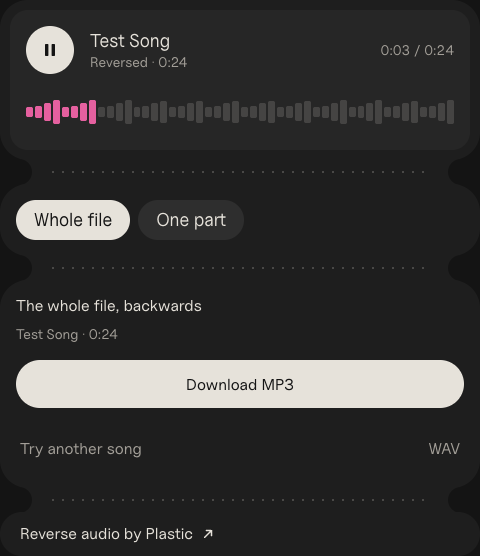
Drop a song or a sound, or record your voice. It plays backwards straight away. Reverse all of it, or just one part.
Size
<iframe src="https://plastic.audio/reverse-audio/embed/" width="480" height="626" title="Reverse audio by Plastic" style="border:0;border-radius:28px;max-width:100%"></iframe>
<p><a href="https://plastic.audio/reverse-audio/">Reverse audio by Plastic</a></p>
Paste it into Google Sites, Canvas or WordPress.
Reading it…
Recording
Found a sound worth flipping? DOT records anything playing on your Mac, with its key and BPM, so you catch the sample in the first place. Free to try.
How to reverse audio
- Drop in a song or a sound, or press Record your voice.
- It plays backwards straight away. Press play to hear it again.
- To flip one part only, pick One part and drag over it on the wave.
- Download it as an MP3 or a WAV.
Reverse one part: the reverse cymbal and the vocal swell
Producers rarely flip a whole song. They flip one hit, a crash or the tail of a held vocal note, so it swells up into the next beat instead of fading out of it. Pick One part, drag over that hit, and download it. In your DAW it goes just before the downbeat.
Reverse your voice
Record a word or a line and hear it backwards. For the reverse singing challenge, play your line backwards, learn to sing what you hear, record that, and reverse it again. If you got it right, your first line comes back.
MP3, WAV and other formats
Drop in an MP3, WAV, AIFF, M4A or FLAC file, and download the reversed version as an MP3 or a WAV. Everything happens in your browser, so the file never leaves your computer.
Press Record. Whatever your Mac plays, recorded.
Records any sound on your Mac, plus your mic, guitar or turntable, with each take's key, tempo and chords.

Questions.
Is my file uploaded?
No. Everything happens in your browser, your recording too. Nothing leaves your computer.
Does it change the speed or the key?
No. It plays at the same speed and pitch, only backwards. To change those, use the audio speed changer or the key changer.
Can I reverse the sound of a video?
Yes. Drop in an MP4 or a MOV and you get its sound, reversed, as an MP3 or a WAV.
What files work?
MP3, WAV, AIFF, M4A and FLAC, and your own recording. You get the reversed version as an MP3 or a WAV.
MP3: LAME, LGPL (lame.sourceforge.net)