Where Spotify's lyrics come from
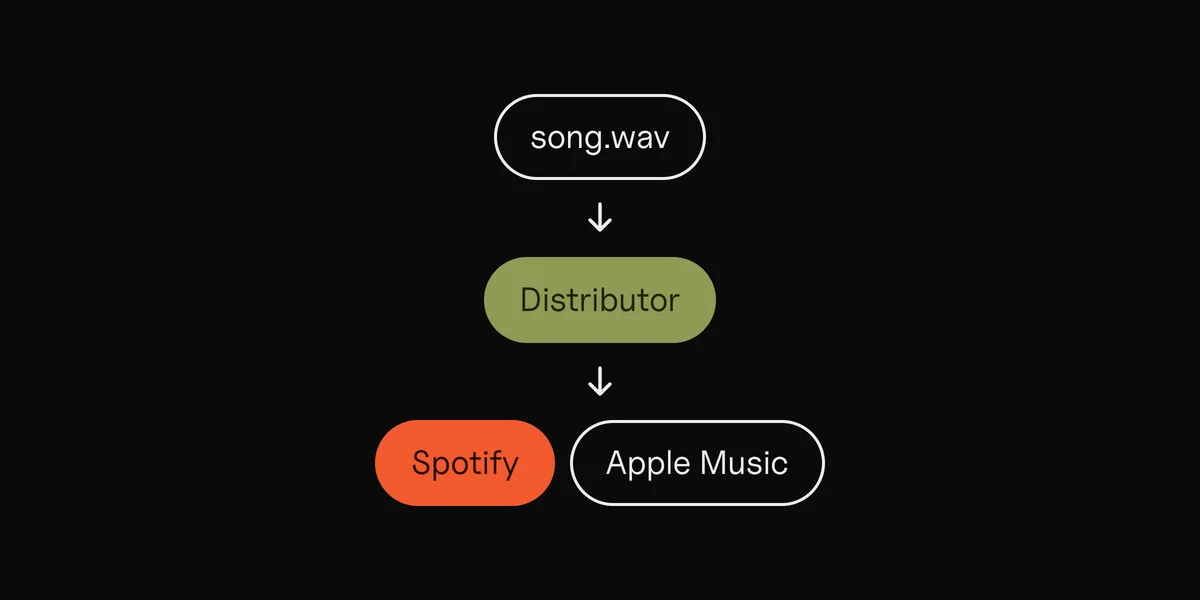
Spotify doesn't take lyrics from artists directly. Its help page says Musixmatch provides the licensed and synced lyrics, and sends artists there to add and edit them. Listeners can read lyrics on both free and Premium accounts, but they can't add any.
Two things follow:
- You don't need a new distributor. Musixmatch says you keep yours: it delivers the music, Musixmatch delivers the words.
- Japan is different. Lyrics for listeners in Japan come from PetitLyrics, and you sign up at petitlyrics.com to change them.

How to add lyrics to Spotify with Musixmatch
- Release the song first. Musixmatch checks your artist pages on Spotify and Apple Music, and it can't see releases that aren't out yet. It turns requests down when either page is empty, or when the two pages share no release.
- Sign up for Musixmatch Pro. Spotify says the free plan is all you need to add, edit and sync lyrics.
- Claim your artist. Go to Roster, click Add artist, and search for your name, or paste your Spotify and Apple Music artist links. The artist, their manager or their legal representative can apply.
- Verify your identity. On the free plan, Musixmatch asks for a government photo ID, checked through Stripe. A paid plan skips this step. Musixmatch needs both checks, the artist and the ID, before it sends your lyrics anywhere.
- Connect the audio. A Spotify Premium account pairs your songs automatically. Without Premium, upload the audio file: Musixmatch suggests an MP3 of up to 20 MB, the same length as the track on Spotify.
- Add the lyrics. In Roster, pick the song, open Lyrics, type the words as they're sung, and click Send.
- Sync them. Open the Sync tab and set each line to start when its first word is sung. Click Send again.
- Check the status on the song's page. "Delivered to Partners" means the lyrics have gone to Spotify and the other apps.
Spotify says Musixmatch emails you about your artist claim within a few business days. Musixmatch's own help says a check by hand can take up to 30 days, and that a paid plan gets you verified within one working day.
How long lyrics take to show on Spotify
Musixmatch artist check
A few days, up to 30
Paid plan fast track
Within 1 working day
Musixmatch sends your lyrics
Within 1 working day
Showing on Spotify
Usually a few days
Showing on Instagram
Up to a few weeks
Every later edit takes the same few days to reach Spotify.
How to format your lyrics
The common rejection reasons DistroKid lists are all about formatting. Spotify, Apple and DistroKid ask for much the same:
- Write every repeat out. No "x2", no "Chorus 2x".
- Only what's sung. Leave out spoken parts and sound effects.
- One sung line per line. Leave a blank line only between sections, like verse and chorus.
- A capital letter at the start of each line, and no period or comma at the end. A question mark or exclamation mark is fine.
- No labels, names or links in the text: no "Chorus", no singer's name, no social media. In Musixmatch, mark the sections with its tags (#VERSE, #CHORUS) instead.
- Swear words as sung. Use stars only where the word is bleeped or dropped in the recording.
- Write in the language's own script. DistroKid also asks for standard spelling ("trying to", not "tryna") and for numbers from one to ten as words.

Synced lyrics vs plain lyrics
Plain lyrics are the words as text. Synced lyrics are timed to the song, so they scroll as it plays. Synced lyrics come two ways: line by line, or word by word, each word lighting up as it's sung.
Musixmatch lists what each app takes from it:
Plain · Line by line · Word by word
| App | Plain | Line by line | Word by word |
|---|---|---|---|
| Spotify | Yes | Yes | No |
| Apple Music | Yes | Yes | No |
| Yes | Yes | Yes | |
| Yes | Yes | Yes | |
| YouTube Music | Yes | Yes | No |
| Amazon Music | Yes | Yes | No |
| Tidal | Yes | Yes | No |
So on Spotify, sync line by line. Word-by-word sync is made only in Musixmatch's phone app, and it goes to Instagram and Facebook. Paid Musixmatch plans add AI Sync, which times the lines for you from your lyrics and audio.

Lyrics through your distributor
Some distributors send lyrics too, but not all of them to Spotify:
Spotify · Apple Music
| Route | Spotify | Apple Music |
|---|---|---|
| Musixmatch Pro, free plan | Plain and synced | Plain and synced |
| DistroKid, any plan | No | Plain |
| DistroKid Musician Plus, Ultimate | No | Synced |
| DistroKid Lyric Blaster | Synced | — |
| TuneCore | No | Plain |
| Apple Music for Artists | — | Plain |
- DistroKid: add lyrics at distrokid.com/lyrics. Plain lyrics are free on every plan and go to Apple Music, YouTube Music, LyricFind and Google. DistroKid reviews them in about a day, and they go live in one to two weeks. For synced lyrics on Spotify, Instagram, Facebook and Tidal, you need Lyric Blaster, a yearly subscription per artist, powered by Musixmatch. You time each line by holding the space bar while it's sung. DistroKid can't deliver lyrics for cover songs.
- TuneCore sends plain lyrics to Apple Music only, and points you to Musixmatch for Spotify and Instagram.
- CD Baby points you to Musixmatch or LyricFind.
If you use Musixmatch Pro yourself, you don't need a paid distributor add-on for Spotify. Still choosing a distributor? See music distributors compared.
How to add lyrics to Apple Music
Apple Music takes lyrics three ways:
- From your distributor, with the release. Apple asks for the lyrics at least 5 days before release day so they show from the start.
- In Apple Music for Artists. Go to Artist Content and select a song; songs without lyrics show a +. Click Add Lyrics and paste your lyrics. To fix them later, click Request a Change under Lyrics. You need to have claimed your artist page first.
- From Musixmatch, which sends plain and line-synced lyrics to Apple Music too.
Apple's guidelines say it may adjust the lyrics you send, and that time-synced lyrics are added at Apple's editorial discretion. So you can send synced lyrics, but Apple decides whether they show synced.
Add your lyrics before release day
Lyrics that are ready on release day catch the first listens. Two ways:
- Musixmatch pre-release: add and sync the lyrics at least 5 days before release. Musixmatch keeps them private until the song is out. You need the release's UPC and ISRCs from your distributor, or a public Apple Music pre-release link. It needs the Artist Grow plan or higher; the Free and Basic plans don't have it.
- Your distributor: send the lyrics with the upload. That covers Apple Music; check which apps your distributor sends them to.
On the free plan, add them once the song is out. Your artist check needs released music anyway.

Why your lyrics aren't showing on Spotify
Go down the list:
- Not verified yet, as an artist or by ID. Musixmatch only sends lyrics on once both are done. A song stuck at "Delivered to Musixmatch" hasn't gone to Spotify.
- Added in the wrong app. Lyrics added on musixmatch.com or in the Musixmatch Lyrics Finder app aren't sent to Spotify. Use Musixmatch Pro.
- Too soon. Spotify usually takes a few days after Musixmatch sends them.
- The song has a featured artist. On the free plan, songs with featured artists are locked. A paid plan unlocks them.
- Formatting. Lyrics that break the rules above can be held up.
- Through DistroKid without Lyric Blaster. DistroKid's free plain lyrics don't go to Spotify.
- The app or the country. Spotify says lyrics may not be available on all songs and devices, and that it varies by market. In Japan, lyrics come from PetitLyrics.
- The audio doesn't match. The audio you synced to should be the same length as the track on Spotify, and on Instagram.
If everything is in place, send the lyrics again from Musixmatch Pro.

What lyrics do for a release
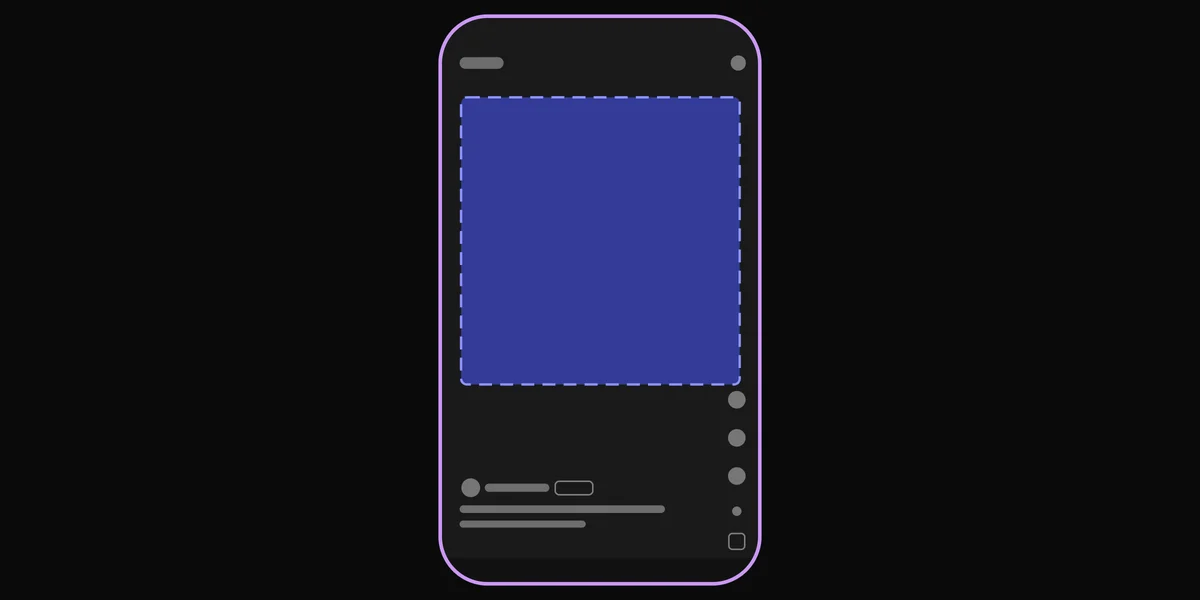
On Spotify, lyrics show on the Now Playing screen, under the cover or over the Canvas, and listeners can share a highlighted line to other apps. On Instagram, people add your song to their Stories with your words on screen. Lyrics also show in Google's search results.
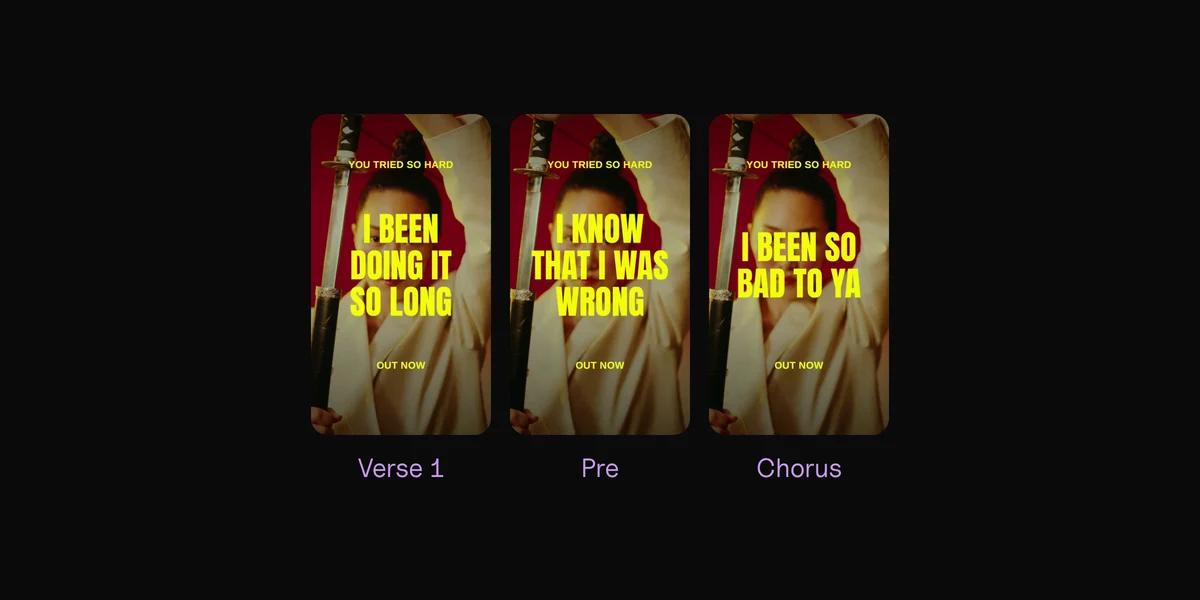
All of that works on people who already found the song. To reach people who haven't, you need short vertical videos people watch with the sound on, as posts or ads. Musixmatch's paid plans include a lyric video maker for short clips. Clips, our Mac app, is made for this: drop in your song and it cuts every part into a vertical lyric video, on the beat, with your lyrics synced word by word over your own footage or photos. Spotify shows your lyrics a line at a time; Clips can show each word as it's sung, or a line at a time. It's free to try, $99 once, and works offline. The lyric video guide compares the other ways.
Your lyrics, synced word by word, on your own footage.
Online makers
Stock footage, a subscription, your song uploaded.
Clips
Your footage, $99 once, nothing leaves your Mac.
Questions
How do I add lyrics to Spotify?
Through Musixmatch. Sign up for Musixmatch Pro (the free plan is enough), claim your artist and verify your ID, then add and sync your lyrics and click Send. They usually show on Spotify within a few days.
Is Musixmatch free for artists?
Yes. The free plan lets you add, edit and sync lyrics and send them to Spotify, Apple Music and Instagram. Paid plans add faster verification, AI sync and editing songs with featured artists. Lyrics before release need the Artist Grow plan or higher.
Can I add lyrics in Spotify for Artists?
No. Spotify sends artists to Musixmatch for lyrics. In Japan, it's PetitLyrics.
How long does it take for lyrics to show on Spotify?
Spotify says changes take a few days. Before that, your artist claim can take a few days, or up to 30 by Musixmatch's own count.
Does Spotify show lyrics word by word?
Musixmatch sends Spotify plain and line-by-line lyrics, not word by word. Its word-by-word sync goes to Instagram and Facebook.
Can I add lyrics before my song comes out?
Yes, with Musixmatch's Artist Grow plan or higher, at least 5 days before release. For Apple Music, your distributor can send them with the release, also at least 5 days ahead.
Sources
- Managing your lyrics on Spotify, Spotify for Artists; View lyrics, Spotify
- Musixmatch Pro Help Center: How to add and verify an artist profile, How long verification takes, Why verification isn't approved, How to verify my identity
- Musixmatch Pro Help Center: How to add and sync lyrics, Where lyrics are distributed, When lyrics appear, Lyrics pre-release
- Musixmatch Pro Help Center: Locked lyrics, Uploading audio files, Is Musixmatch Pro free?, Do I need to leave my distributor?
- How to add your lyrics to Apple Music and Lyrics guidelines, Apple Music for Artists; Submit lyrics, Apple Music Provider Support
- DistroKid: Adding lyrics, Where will my lyrics show up?, Synced lyrics, Plain vs synced, Lyric Blaster, Rejected lyrics, Lyrics not in services
- Uploading lyrics, TuneCore; How do I get my lyrics on partner sites?, CD Baby
 Clips10 min read