Your music, tagged right. In one drop.
Stamps, a music tag editor for Mac and Windows, puts your name, every title and the cover into your files.

Free for your first single, EP or album · $29 once$19 $29 for Black Friday, until 1 December · Also on WindowsAlso on Mac
We’ll send you the download link, then a short follow-up. Privacy
Sent. Check your inbox on your computer.
Your first release is free · $29 once$19 $29 for Black Friday, until 1 December · Mac and Windows
Your promo arrives as your song.
Not as ‘Track 01’.
When a DJ or a blog opens your file, they see its title, your name, the release and your cover. Sent untagged, it’s just ‘Track 01’.
The same tags, song after song.
No ‘FINAL v3’ left in a title.
Capitals, a leftover ‘FINAL v3’, ‘(Explicit)’ in the title, a print-colored cover. Small things that make a file look unfinished.
Dark
Kai Williams·2026
Drop it. It comes out ready.
It remembers your artist name.
Tell it once.
Every song after that already has it.


It cleans up what looks unfinished.
Title case, guest artists in their own field, the explicit flag, a print cover turned into screen colors, a title from the file name. All with Undo.
Credits on every track in one click.
Add writers, producers or a genre to one song, then use them on all 13.

Your sound stays exactly as it was.
Stamps never re-encodes your audio.
It writes a new file, checks the sound is byte-for-byte identical,
and only then puts it in place.

- 1Written to a new file
- 2Sound checked, byte for byte
- 3Put in place
“Every tag editor I tried looked twenty years old. So I made a sexy-looking app for the most boring job in music.”
Kai Williams, artist, maker of Clips and DOT
Your first single, EP or album is free.
Tag editor trials last 3 to 14 days.
Yours lasts a whole release, however long it takes.
Free
$0
We’ll send you the download link, then a short follow-up. Privacy
Sent. Check your inbox on your computer.
Stamps
$29$19once$29 once
Black Friday price, until 1 December. No subscription, ever. Pay through Lemon Squeezy; your key arrives by email.
Before you download.
Does it change my audio?
No. It only writes tags. Your sound stays exactly as it was.
Which files?
WAV, AIFF, FLAC, MP3 and M4A. Stamps edits the metadata inside each one: ID3 tags in MP3, WAV and AIFF, Vorbis comments in FLAC, iTunes tags in M4A.
Do stores read these tags?
Distributors take your details from their own forms. The tags travel with your files: promo copies, DJs, Bandcamp, your own library.
How do I edit music tags?
Drop your songs or their folder on Stamps. Click a track to change its title, artist, credits or ISRC, then click Save. The tags go into your own files.
Can I change the tags later?
Yes. Drop the files again: Stamps reads what’s in them, and you save again.
Is it a subscription?
Never. $29 once$19 once (Black Friday, until 1 December), and your first single, EP or album is free.
Tag it right. Then release it.
Free for your first single, EP or album · $29 once$19 $29 for Black Friday, until 1 December · Also on WindowsAlso on Mac
We’ll send you the download link, then a short follow-up. Privacy
Sent. Check your inbox on your computer.
Your first release is free · $29 once$19 $29 for Black Friday, until 1 December · Mac and Windows
Your download has started
Didn’t start? Download again·Also on Windows
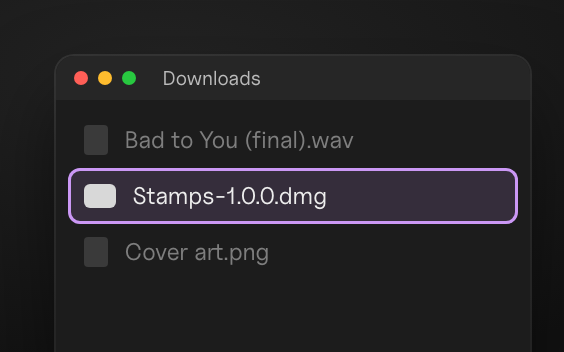
![]() 1Open the disk image
Stamps-1.0.0.dmg, in your Downloads.
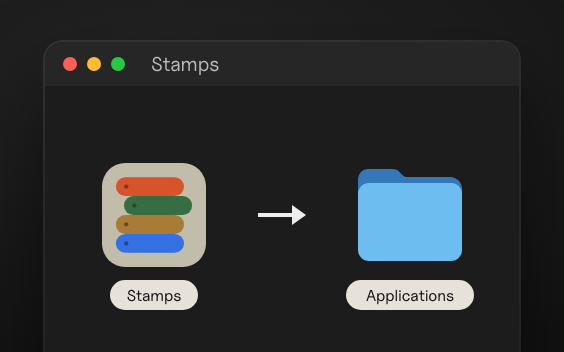
![]() 2Drag Stamps to Applications
Drop it on the folder in the window that opens.
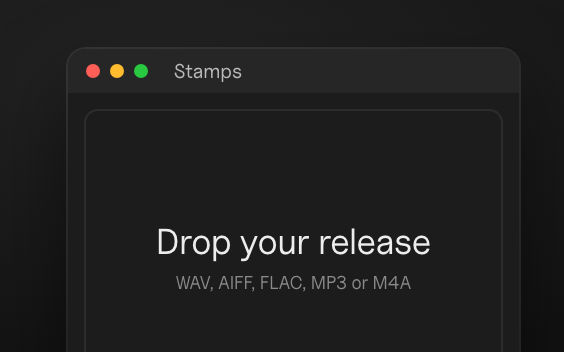
![]() 3Open Stamps
Then drop in your release.
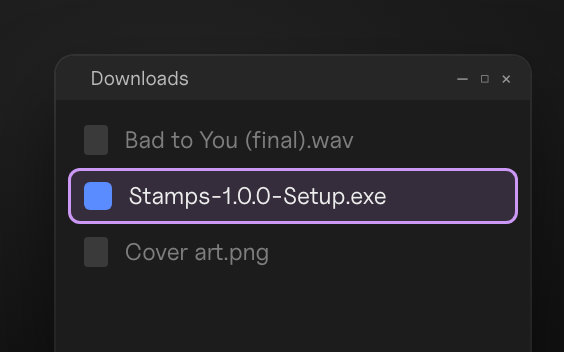
![]() 1Open the installer
Stamps-1.0.0-Setup.exe, in your Downloads.
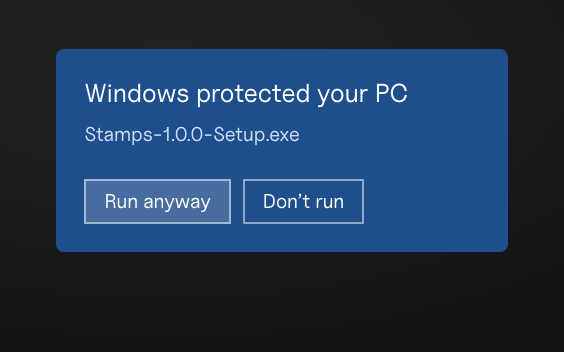
![]() 2More info, then Run anyway
Windows shows this for new apps.
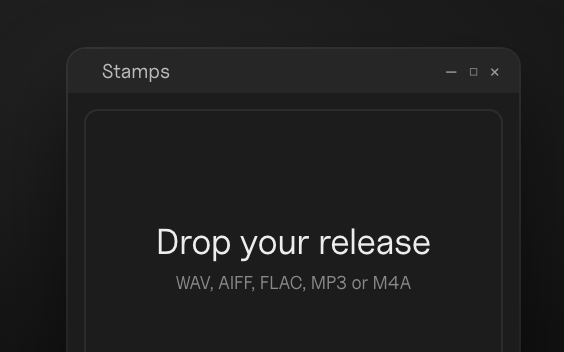
![]() 3Open Stamps
It’s in the Start menu. Then drop in your release.
Get the Stamps quick start
One email now and two short emails over five days. Unsubscribe anytime. Privacy