Press kit
Plastic
Mac apps for people who make music: DOT Audio Recorder and Clips. Kai Williams, a music artist, runs Plastic and built both apps.
Everything here is free to use when you write about DOT or Clips. Updated 13 October 2026.

DOT Audio
Recorder
plastic.audio/dotDOT records whatever your Mac is playing.
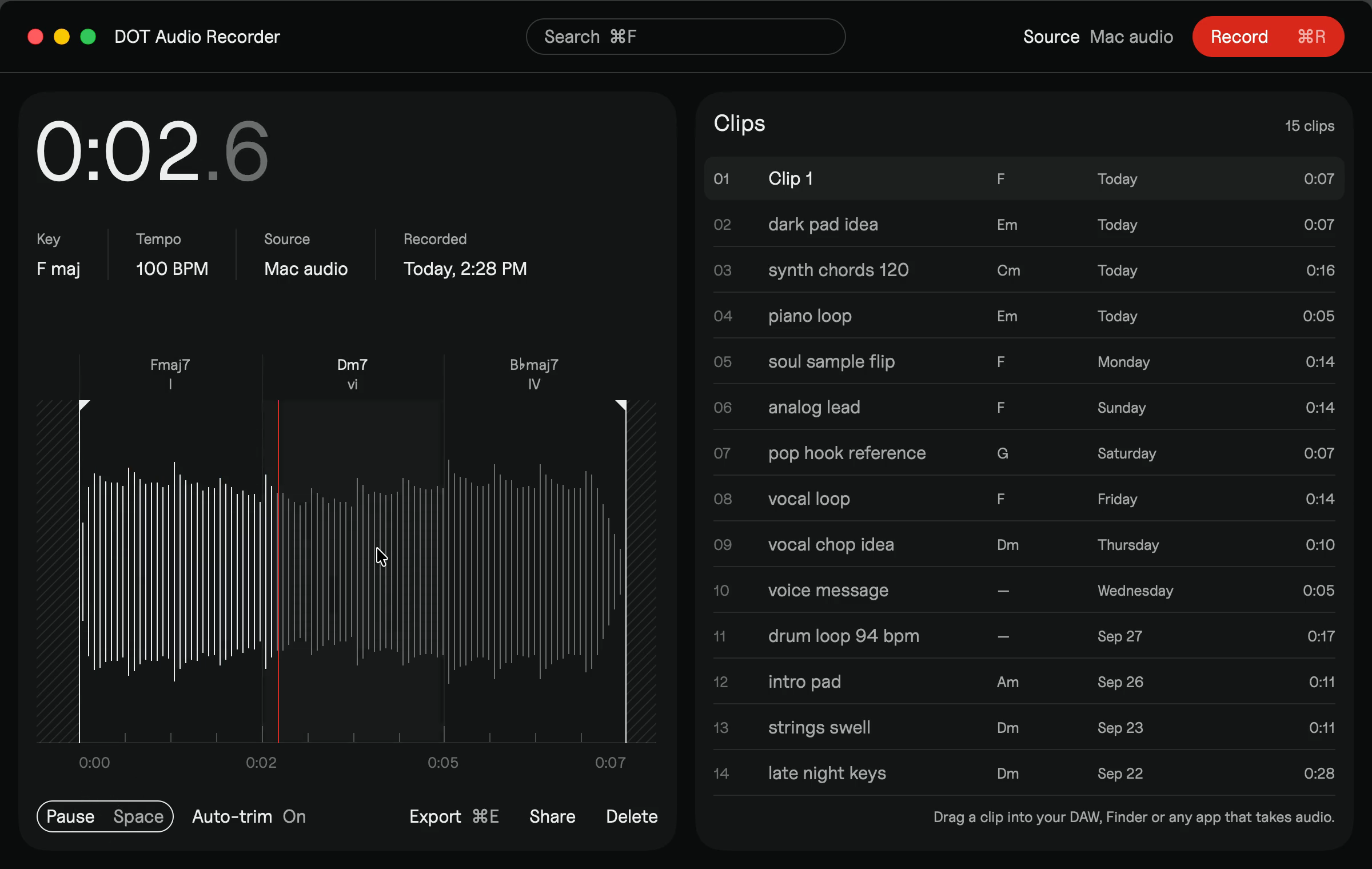
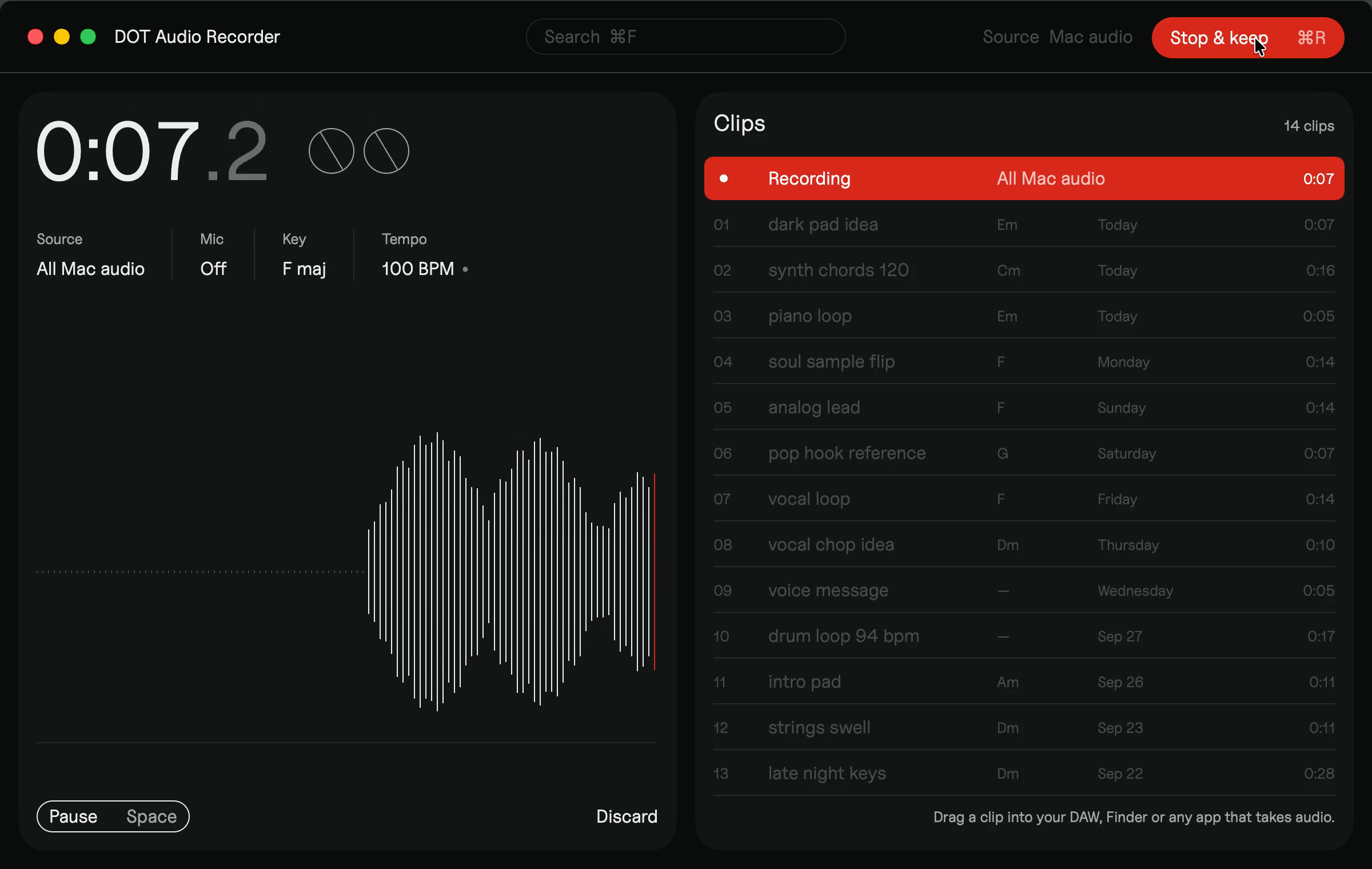
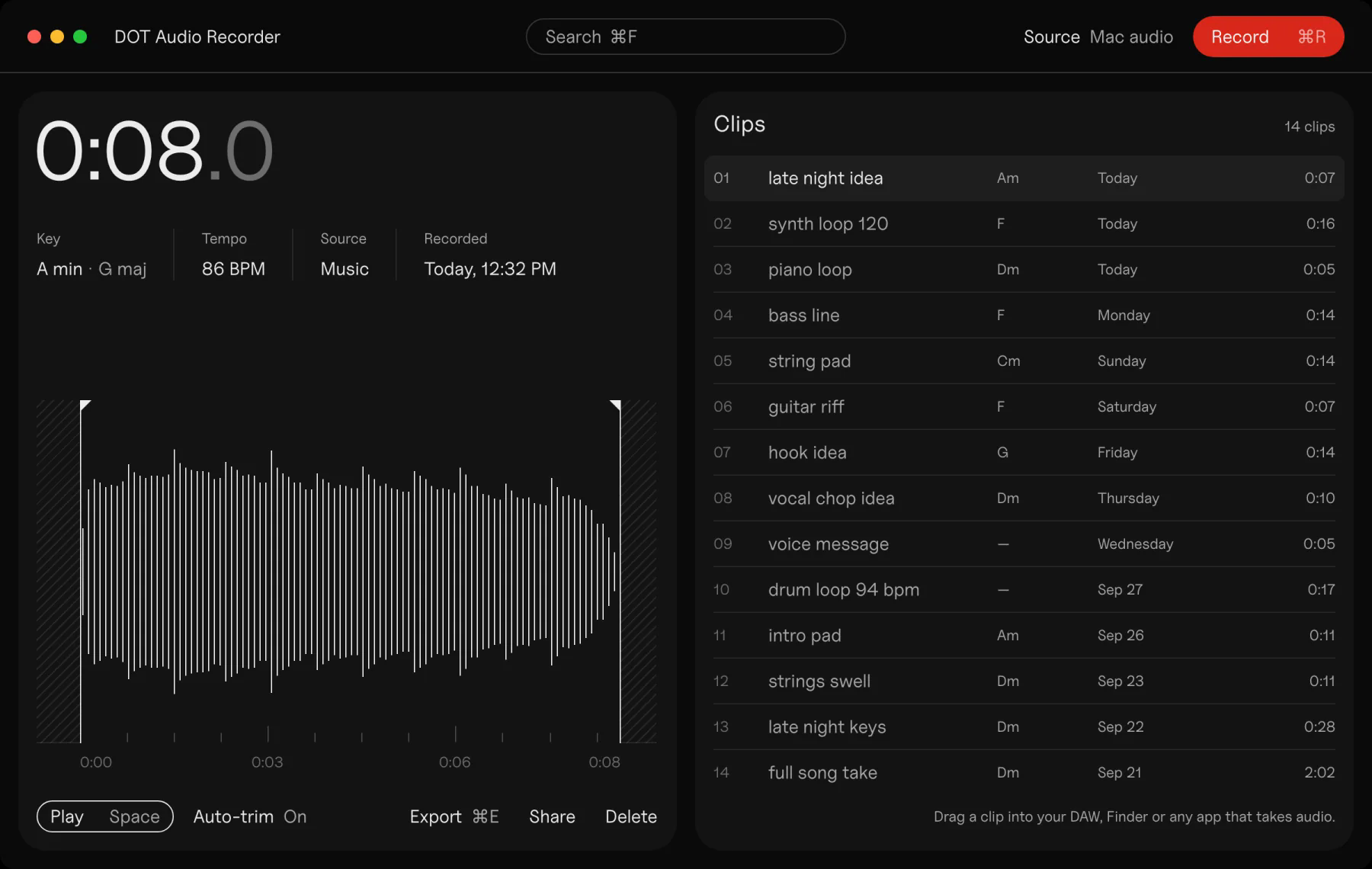
Press ⌘R while something plays, a YouTube video, a preset demo, a friend’s session, and DOT keeps it, trimmed to the sound, with its key, tempo and chords.
Drag the clip into your DAW as a normal audio file, or export its chords as MIDI and play them with your own sounds.
There’s no audio driver or plugin to install and no rerouting. DOT uses the system audio recording Apple added in macOS 14.2, so BlackHole, Soundflower and Loopback aren’t needed.
- Price
- $49 onceFree to try: the first 10 recordings and 3 chord MIDI exports
- Needs
- macOS 14.4 or laterApple silicon or Intel
- License
- Up to 3 of your own MacsFree updates, 30-day refund
- Website
- plastic.audio/dot
“Some days a song just won’t come, and nothing I try lands. Then a few chords on YouTube spark a melody. I built DOT to catch that spark, drag it into my DAW and play it with my own sounds.”

Clips
plastic.audio/clipsClips is a Mac app for artists who promote their songs with ads.
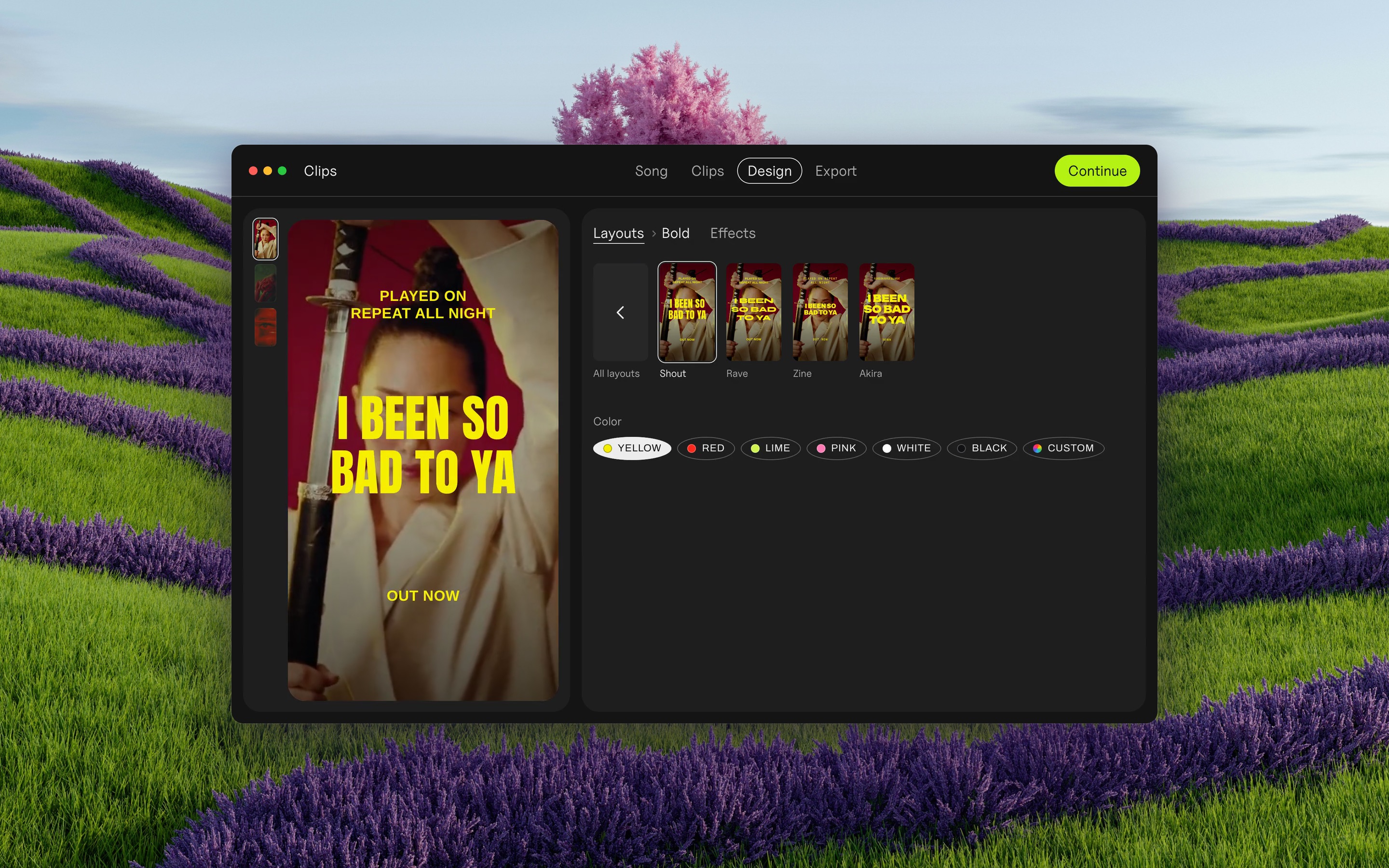
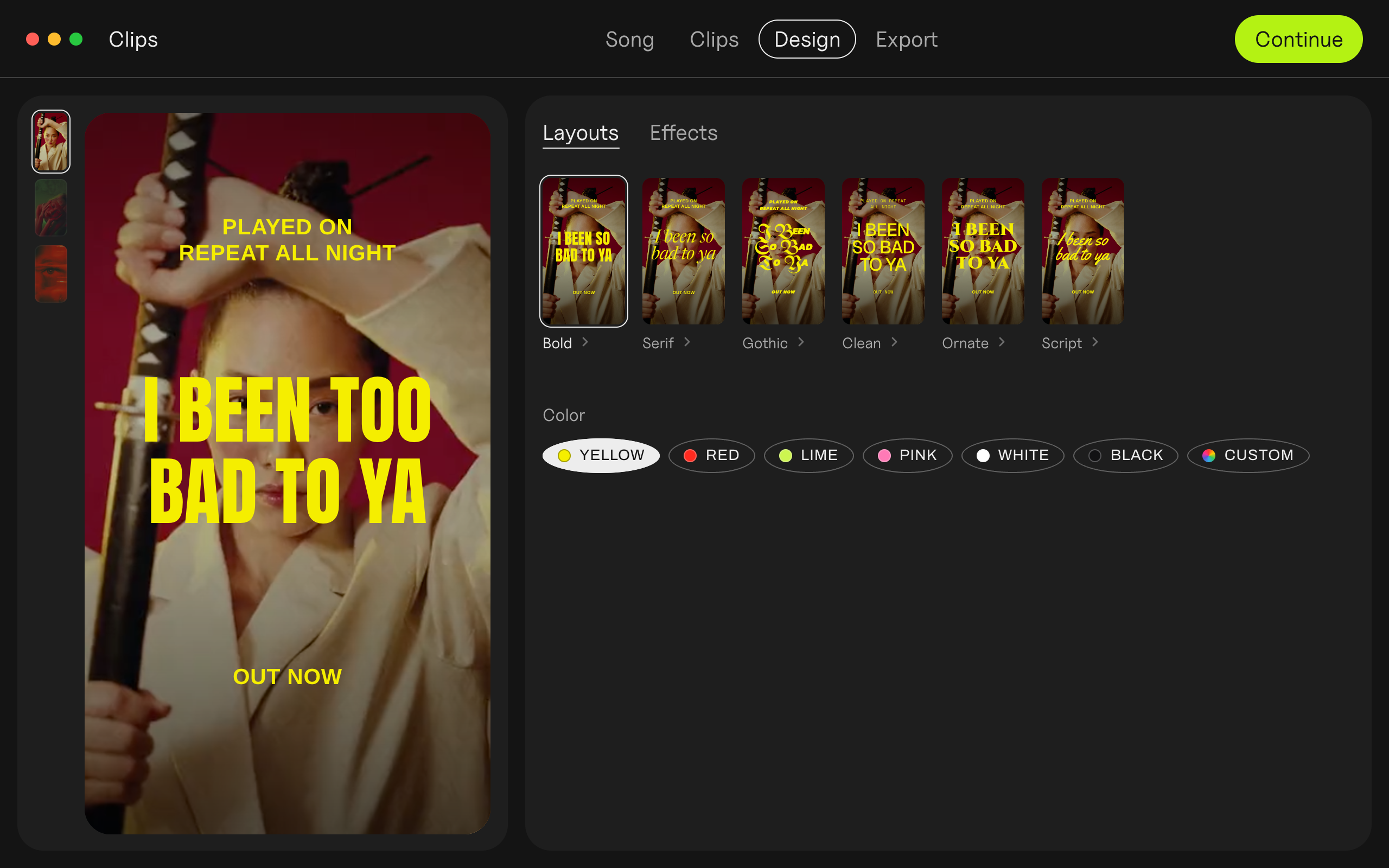
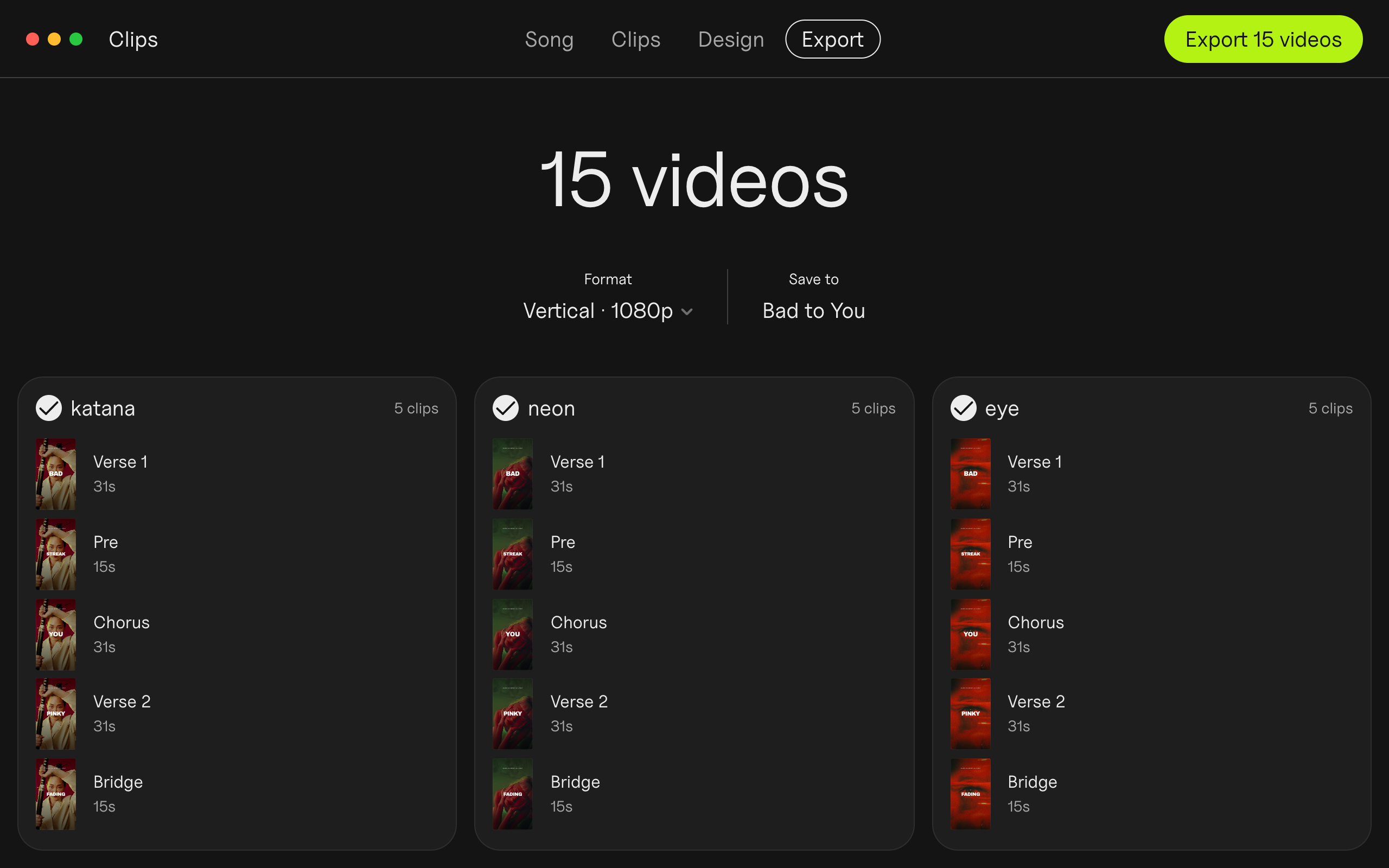
Drop in a song and your own footage, and it cuts a vertical video for every part of the song, on the beat, with the lyrics synced word by word.
Run them all as ads, see which part of the song gets the cheapest clicks, and spend on that one.
- Price
- $99 onceFree forever, with a small Clips tag on exports. Studio, for three people: $249 once
- Needs
- macOS 13 or later
- License
- Up to 3 of your own MacsFree updates, 30-day refund
- Website
- plastic.audio/clips
“I built Clips while promoting my album. Cutting the same song fifteen ways was eating the time I wanted for music.”
Both apps
$125once, for both
DOT and Clips together are $23 less than apart.
Both are made and sold by Plastic, a brand of Patrick Ono, LLC, in California. Payments and licenses go through Lemon Squeezy.
Screenshots
Real windows from the apps. Click any image for the full-size file.
DOT
Clips
Icons
and logos
On a transparent ground: SVG to scale, PNG at 1024 px.






Short
descriptions
Ready to paste.
DOT · One line
DOT Audio Recorder records anything your Mac plays, with its key, tempo and chords. $49, free to try.
DOT · 50 words
DOT records whatever your Mac is playing, from any app, with no BlackHole or Soundflower to set up. Every clip gets its key, tempo and chords. Drag the audio into your DAW, or the chords out as MIDI. Free to try, $49 once. macOS 14.4 or later.
Clips · One line
Clips turns every part of a song into a vertical ad, cut on the beat with synced lyrics. $99, free to try.
Clips · 50 words
Clips is a Mac app for musicians who promote their songs with ads. Drop in a song and your own footage, and it cuts a vertical video for every part of the song, on the beat, with the lyrics synced word by word. Test them all, keep the one that works. $99 once.
Free tools
Free, in the browser, with nothing uploaded.
Contact
[email protected]Write to Kai Williams for a review license, an interview, or anything that isn’t here.
Review licenses are free.