DOT Audio Recorder
Catch any sound
your Mac plays.
Press Record in your menu bar, from any app, even your DAW. DOT keeps what’s playing, trimmed, with its key, BPM and chords. No BlackHole, no routing.
Free to try · $49 once · macOS 14.4 or later
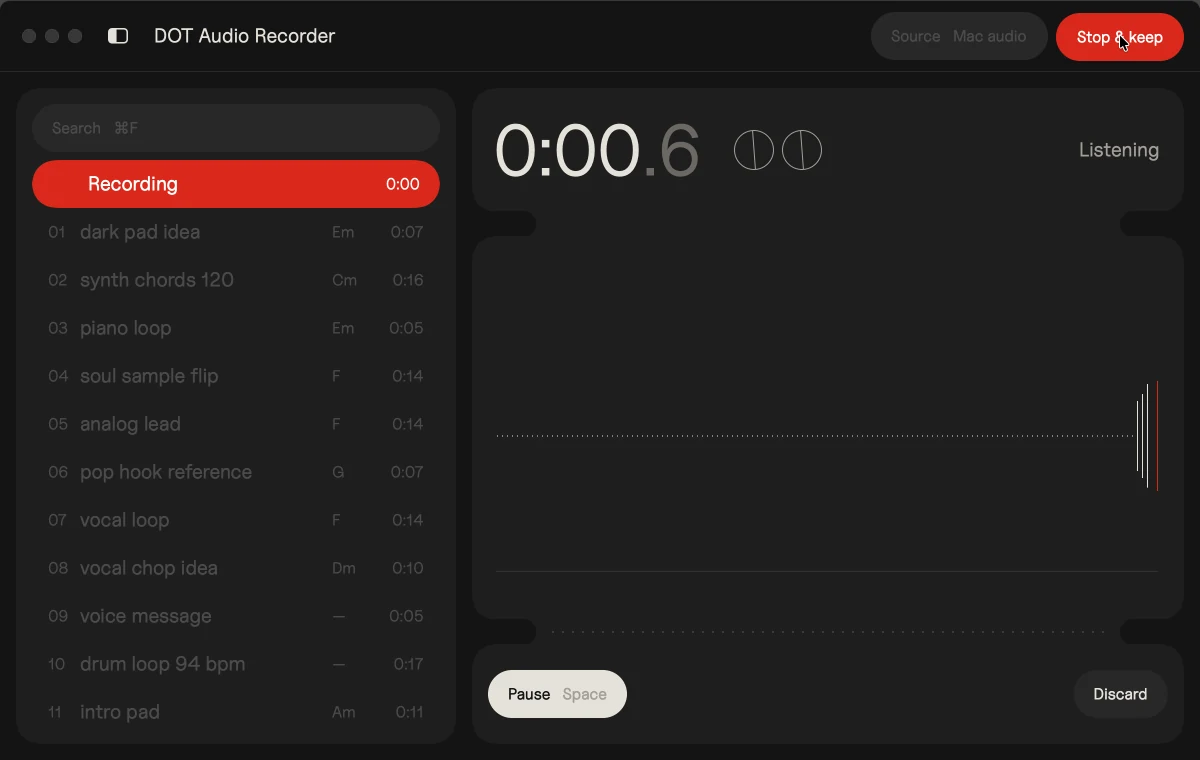
Every day you hear something you’d like to keep: a sound in a video, the chords of a reference track, a patch in a preset demo. DOT keeps it, trimmed to the sound, with its key, BPM and chords.
From “what was that?”
to a clip in your session
Know the key and BPM
before you use it.
Musical clips get their key and BPM, and a chord for every half bar, so you can replay it with your own sounds.
Record without leaving your DAW.
Press Record in your menu bar. DOT records in the background while you stay in your session. Pick an app or leave it on all Mac audio. No driver to install, nothing to reroute.
Every take,
trimmed for you.
Every take is trimmed at both ends before you see it. Drag the handles and they snap to the beat.
Straight into Ableton,
Logic or FL Studio.
Drop a clip on a track as a normal audio file. Export its chords as MIDI and play them with your own sounds.
“Some days a song just won’t come, and nothing I try lands. Then a few chords on YouTube spark a melody. I built DOT to catch that spark, drag it into my DAW and play it with my own sounds.”
Kai WilliamsMusic artist · 20K monthly listeners on Spotify
Free to try.
$49 to keep.
Free
$0
Record, see key, BPM and chords, and drag clips into your DAW.
- Key, BPM and chords
- Search by title, key or BPM
- Your first 10 recordings
- Drag audio into any app
- 3 chord MIDI exports
Unlock
$49 once
Everything in Free, with no limits on recordings or chord MIDI.
- Everything in Free
- Unlimited chord MIDI
- Unlimited recordings
- Up to 3 of your own Macs
- Free updates
Quick answers
before you download.
Catch the next one.
Your download has started
Didn’t start? Download again
![]() 1Open the disk image
DOT-Audio-Recorder-1.2.1.dmg, in your Downloads.
![]() 2Drag DOT to Applications
Drop it on the folder in the window that opens.
![]() 3Open DOT
Then play anything and press Record.


Get the DOT quick start
One email now and two short emails over five days. Unsubscribe anytime. Privacy