Lyric video
maker for Mac
and Windows.
Find the part of your song that sells it. Drop in a song and Clips cuts every part and its catchiest snippets into vertical videos, on the beat, with the lyrics synced word by word. Test them all, then spend on the one that works.
Free, no card needed, no time limit · $99 once$59 $99 for Black Friday, until 1 December · macOS 14 or later · Windows 10 or 11 (64-bit)
Lyric video apps charge up to $29 a month, $348 a year. Clips is $99$59, once.

Verse 1
Pre
Chorus
Verse 2
Bridge
Ads in minutes
From a finished song to a full batch. No timeline.
15 ads at once
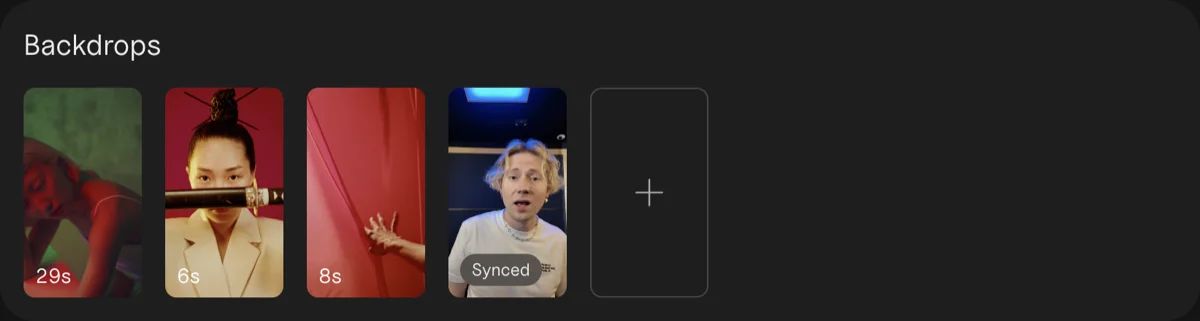
Every part of the song on every backdrop, in one export.
$99$59, paid once
No subscription, no credits, no caps.
Works offline
Your unreleased song never leaves your computer.
Making 15 videos takes all evening.
So you cut two and pray.
Song in, ads out.
Four steps from a finished song to its lyric videos. No timeline.
1 Drop your song
Clips finds the tempo and every part.
Chorus · 16 beats, cut on the beat
2 Pick the parts
Each part becomes one clip, cut on the beat.
bad to yaLyricsWordLine
Hook
played on repeat all night
Lyrics
I been so bad to ya
I been too bad to ya
Word by word, on the beatLine by line, on the beat
3 Add your hook
A hook line on top, lyrics synced word by word.
4 Export
Every part on every backdrop, ready for Ads Manager.
Test first. Then spend.
Run every part for a week. Let the results pick the hook.
Day 1
Upload the batch
Every file is named by song, part and backdrop, ready for Ads Manager.
Cost per result, one line for each part
Days 2–6
Let them all run
A few dollars a day each. Strangers pick the winner, not your guess.
Cost per result after a week
Day 7
Keep the winner
The intro won, not the chorus. Put your budget behind it.
66 color presets. 54 effects.
Ads that look like your release, not like a template.




Color first
66 presets in seven families, each with its strength and film grain. The words keep their own color.
Effect
Strength
Drag to set how strong the effect is.
Then an effect, on the beat
54 effects go on top of the color. Try one. It works the same on Mac and Windows.
Lip-sync without lining it up.
Film yourself singing to the track, drop the video in, and Clips finds where it belongs in the song: every video stays in sync. On Mac and Windows.
“I built Clips while promoting my album. Cutting the same song fifteen ways was eating the time I wanted for music.”
Kai WilliamsMusic artist · 20K monthly listeners on Spotify
How Clips compares.
$99$59, paid once
Lyric video apps charge up to $29 a month: $348 a year. Use every feature free, no card needed. Remove the tag before you put money behind an ad.
Free version
$0
To try it on your next release
- Every feature, unlimited exports
- A small Clips tag on exports
- No time limit
Artist
$99$59 once $99
For your own music
- No Clips tag on exports
- Up to 3 of your own computers
- Free updates
Label / Studio
$299 once
For the artists you work with: your roster or your clients
- Up to 10 computers, for your team
- Client and commercial work
- Priority email support
Same app, same features, one license for Mac and Windows. A 30-day refund, no questions. The Label license covers work for other artists and more computers. Your license key comes with the receipt.
Quick answers before you download
I don’t have footage.
Photos work. Clips animates stills, and one phone clip is enough for a batch. Or download free, high-quality vertical videos from Pexels that match the mood of your song.
What if Clips gets my song’s parts wrong?
Fix them right in the lyrics. Rename a part, split it at any line, or merge it with the one above, and every screen and export follows. On the Clips screen you can also split the waveform on any beat.
I’m between releases.
The free version doesn’t expire. Try it on an old song now.
Is my unreleased song uploaded anywhere?
No. Clips works offline, and your song never leaves your computer.
Another subscription?
No. $99 once$59 once (Black Friday, until 1 December), with free updates. Nothing to renew.
Which license do I need?
Making videos for your own music: Artist. Making them for artists you manage, sign or work for: Label / Studio.
What do I need?
macOS 14 or later, or Windows 10 or 11 (64-bit), with at least 8 GB of RAM (16 GB recommended). Lyric sync works on Mac and Windows; on older computers it takes longer. Clips exports vertical video at 1080 × 1920 or square at 1080 × 1080.
Stop cutting.
Start testing.
Your download has started
Didn’t start? Download again·Also on Windows
- 1Open the disk image
Double-click the Clips .dmg file in your Downloads.
- 2Drag Clips to Applications
Drop it on the folder in the window that opens.
- 3Open Clips
Find it in Applications. Then drop in a song.
Get the Clips quick start
One email now and three short tips over ten days. Unsubscribe anytime. Privacy